Email security isn't just IT's job anymore. If you're sending marketing emails, you're holding the keys to sensitive customer data, brand reputation, and potentially millions of dollars in revenue. One compromised campaign can tank your sender reputation overnight, and trust us, rebuilding that takes months, not days.
What makes email security tricky for marketers is that you need to balance protection with performance. You can't lock everything down so tight that legitimate campaigns get blocked. You need authentication protocols that verify you're actually you, employee training that stops phishing clicks before they happen, and encryption that protects customer data without breaking your workflow.
The stakes are higher than most people realize. Phishing accounts for approximately 3.4 billion emails sent globally every single day. That's billion, with a B. And marketers are prime targets because we handle massive email lists, have access to customer data, and often work fast under deadline pressure.
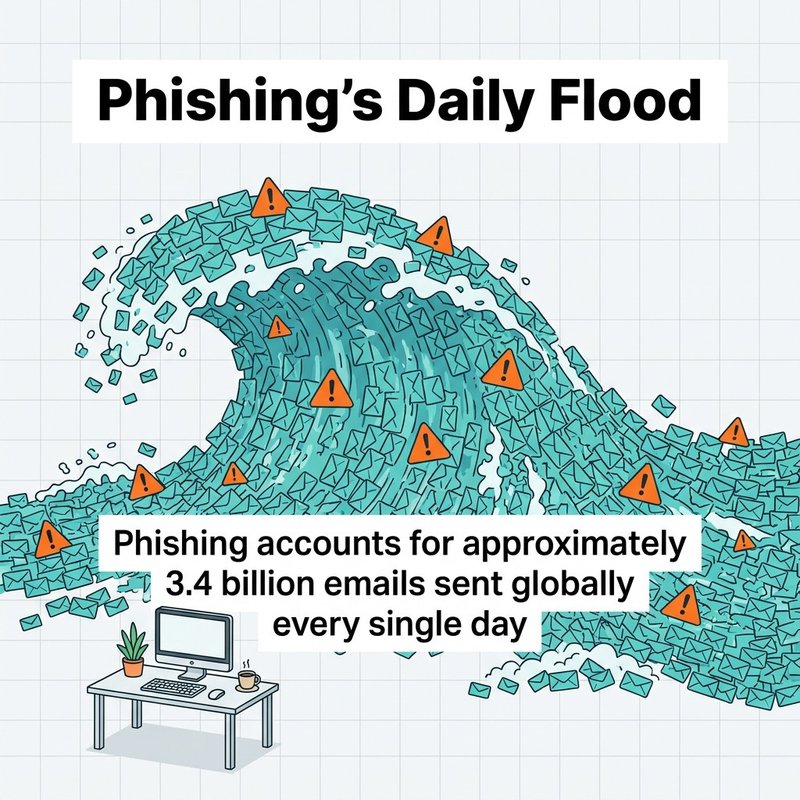
Phishing’s daily flood: an estimated 3.4 billion phishing emails are sent every day.
We're going to walk through the security practices that actually matter for email marketers. Not generic cybersecurity advice, but specific steps you can take to protect your campaigns, your lists, and your organization while still hitting your marketing goals. You'll learn how to set up authentication protocols, train your team to spot threats, encrypt sensitive communications, and build security into your daily workflow.
By the end of this guide, you'll have a clear roadmap for securing your email marketing operations. You'll know which security tools integrate with platforms like Mailchimp, HubSpot, and ActiveCampaign, and you'll understand how to implement them without slowing down your team.
Why Email Security Matters for Marketing Teams
Marketing teams are sitting ducks for cyberattacks, and most don't realize it until something goes wrong. You're managing thousands or millions of email addresses, sending campaigns daily, and clicking links constantly. That makes you a target.
The financial damage from email security breaches is staggering. Global losses attributed to Business Email Compromise totaled 6.7 billion dollars. Business Email Compromise, or BEC, happens when attackers impersonate executives or trusted vendors to trick employees into transferring money or sharing sensitive information.
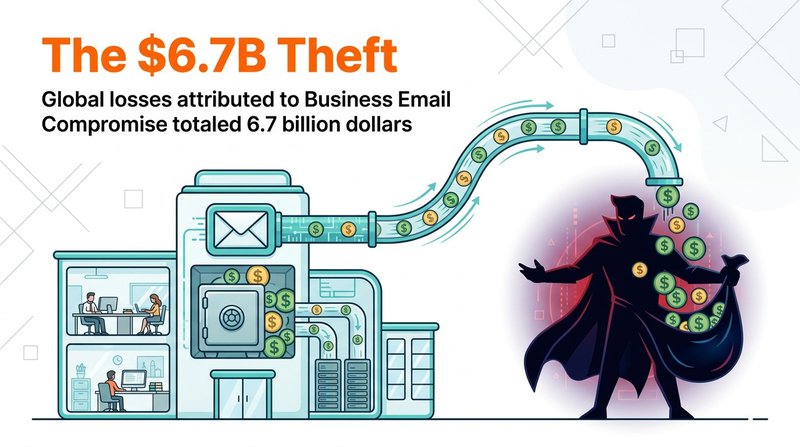
The $6.7B theft: global losses attributed to Business Email Compromise.
For marketers specifically, the threat comes from multiple angles. Phishing attacks target your team members to steal login credentials. Malware gets delivered through email attachments that look like campaign reports. Spoofing attacks impersonate your brand to scam your customers, destroying trust you've spent years building.
The human factor makes this worse. Over sixty percent of data breaches involve a human element. Someone clicks a malicious link, opens a bad attachment, or falls for a social engineering trick. Your security is only as strong as your least cautious team member.
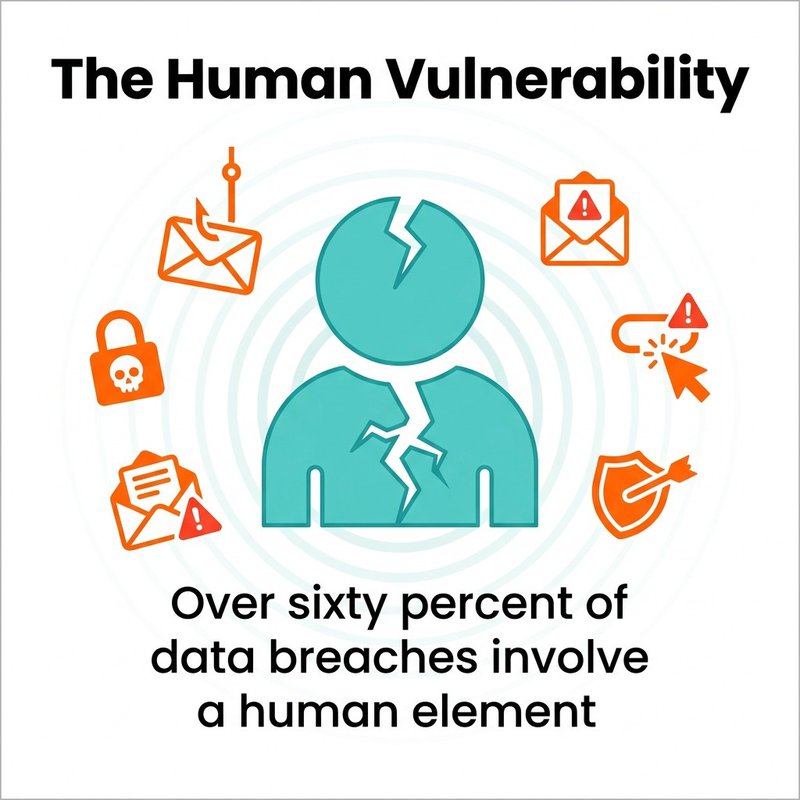
The human vulnerability: 60%+ of breaches involve human error or social engineering.
Then there's the reputation damage. When your email account gets compromised and starts sending spam to your entire list, email providers notice. Your sender reputation tanks. Your deliverability drops. Suddenly your legitimate campaigns are landing in spam folders, and you're losing revenue.
The Real Cost of Poor Email Security
Let's talk about what actually happens when email security fails in a marketing organization. It's not abstract, it's concrete and it's expensive.
First, there's the immediate financial loss. If attackers gain access to your systems through email, they can steal customer data, payment information, or intellectual property. The cleanup costs alone run into tens of thousands of dollars, that's before you count lost business.
Second, your sender reputation takes a hit that can last months. Email providers like Gmail and Outlook track your sending behavior. If your compromised account starts sending spam, they flag your domain. Even after you fix the security issue, rebuilding trust with email providers takes time and consistent good behavior.
Third, you face regulatory penalties. If you're handling customer data and you get breached, regulations like GDPR and HIPAA can hit you with serious fines. Data breaches involving remote work as a contributing factor cost an average of $131,000 more than incidents not involving remote work. With more marketing teams working remotely, this risk keeps growing.
Understanding these threats helps us focus on the security practices that matter most. You need defenses at multiple levels: technical controls, employee awareness, and organizational policies.
1. Implement Multi-Factor Authentication (MFA) Across All Email Platforms
Multi-factor authentication is your first line of defense against account takeovers. It's the difference between a hacker needing just your password versus needing your password plus a physical device you own.
MFA works by requiring two or more verification methods before granting access. Something you know (password), something you have (phone or security key), and sometimes something you are (fingerprint). Even if someone steals your password through phishing, they can't access your account without that second factor.
For marketing teams, this means enabling MFA on every system that touches your email operations. Your email service provider like Klaviyo or Drip, your CRM, your marketing automation platform, everything.
How to Set Up MFA for Your Marketing Stack
Start with your email service provider. Most platforms like Constant Contact and AWeber offer MFA in their security settings. Log into your admin console, find the security or authentication section, and turn it on.
Choose authenticator apps over SMS when possible. Apps like Google Authenticator or Authy are more secure than text messages because they can't be intercepted through SIM swapping attacks. SMS is better than nothing, but authenticator apps are better than SMS.
For your team, make MFA mandatory, not optional. Set up an organizational policy that requires all team members to enable MFA within 48 hours. Provide clear instructions with screenshots for each platform you use.
Test your MFA setup regularly. Have team members try logging in from new devices to ensure the authentication flow works smoothly. You want security that's strong but doesn't create so much friction that people try to work around it.
MFA Best Practices for Email Marketers
Use hardware security keys for admin accounts. If you manage the master account for your email platform, a physical security key like YubiKey provides the strongest protection. It can't be phished or duplicated.
Set up backup authentication methods. If someone loses their phone, you need a recovery process that doesn't involve disabling security. Most platforms let you generate backup codes, store these securely in your password manager.
Monitor authentication logs for unusual activity. Most platforms show you where and when people log in. If you see a login from an unexpected location, investigate immediately.
Implementing MFA reduces your vulnerability to credential theft dramatically. It's one of those security measures with a huge payoff relative to the effort required.
2. Train Employees on Security Awareness and Phishing Recognition
Your team is your biggest security vulnerability and your strongest defense. The difference depends entirely on training. Good security awareness training turns employees from targets into gatekeepers.
Organizations implementing training programs can reduce employee susceptibility to phishing attacks by up to 86 percent. That's not a typo. Proper training cuts phishing success rates by more than three-quarters.
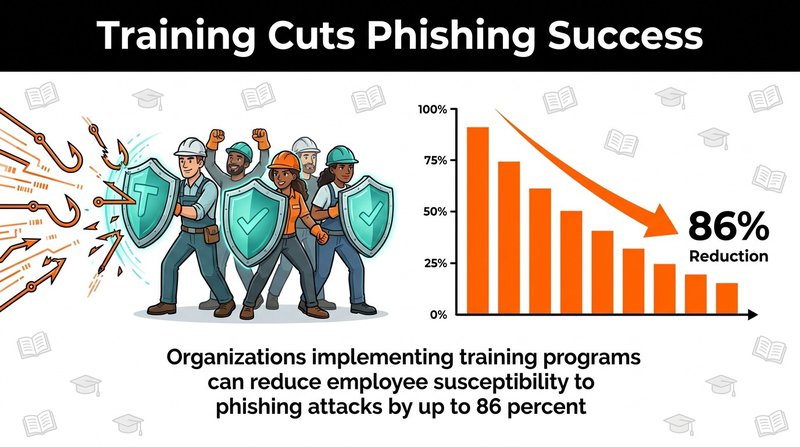
Training pays off: security awareness programs can reduce phishing susceptibility by up to 86%.
The challenge is making training stick. One annual session doesn't work. People forget, threats evolve, and new team members join. You need ongoing education that keeps security awareness fresh.
Building an Effective Security Awareness Program
Start with baseline training that covers common email threats. Teach your team to recognize phishing attempts, suspicious links, fake sender addresses, and social engineering tactics. Use real examples of attacks that have targeted similar organizations.
Run simulated phishing campaigns monthly. Send fake phishing emails to your team and track who clicks. This isn't about punishment, it's about identifying knowledge gaps and providing immediate coaching. When someone clicks a simulated phishing link, send them a quick reminder about what to look for.
Create a simple reporting process for suspicious emails. Give employees a dedicated email address or button they can use to report potential threats. Make reporting easy and praise people who do it, even if the email turns out to be legitimate.
Cover specific tactics attackers use against marketers. Fake vendor invoices, fake campaign performance reports, spoofed emails from executives requesting urgent action. Marketers see certain types of attacks more than other departments.
What Your Team Needs to Recognize
Teach them to check sender addresses carefully. Attackers often use addresses that look almost right: support@mailch1mp.com instead of support@mailchimp.com. That's a number one instead of the letter I, easy to miss if you're moving fast.
Train them to hover over links before clicking. The displayed text might say one thing, but the actual URL could point somewhere malicious. Show them how to check link destinations on desktop and mobile.
Help them spot urgency tactics. Phishing emails often create artificial urgency: "Your account will be suspended in 24 hours" or "Immediate action required." Legitimate companies rarely threaten immediate consequences via email.
Explain email spoofing and display name tricks. Just because an email appears to come from your CEO doesn't mean it actually does. Teach people to verify unusual requests through a secondary channel.
Make security awareness part of your team culture. When someone catches a phishing attempt and reports it, celebrate that. Create an environment where people feel comfortable asking "Is this email legitimate?" without fear of looking foolish.
3. Use Email Authentication Protocols (SPF, DKIM, DMARC)
Email authentication protocols prove to receiving servers that your emails are actually from you. Without these, anyone can pretend to be your brand and spam your customers. With them, you have cryptographic proof of authenticity.
The problem is adoption remains low. Only 30.4 percent of domains have adopted DMARC, and just 12.8 percent enforce policies. That means most organizations are vulnerable to email spoofing and impersonation attacks.
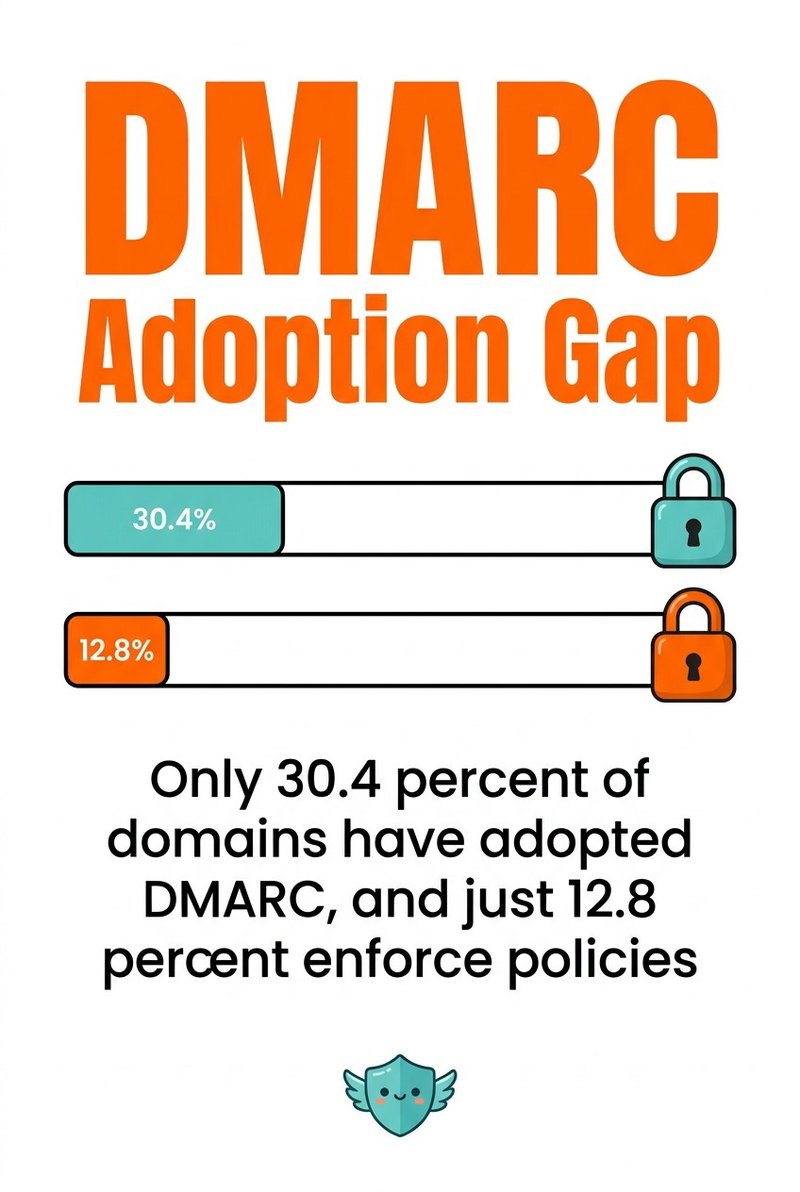
DMARC adoption gap: only 30.4% of domains adopt DMARC and just 12.8% enforce it.
Three protocols work together to authenticate your emails: SPF, DKIM, and DMARC. Each serves a different purpose, and you need all three for complete protection.
SPF: Sender Policy Framework
SPF lets you specify which mail servers are allowed to send email on behalf of your domain. It's a DNS record that lists approved IP addresses. When a receiving server gets an email claiming to be from your domain, it checks whether the sending server is on your approved list.
Setting up SPF requires adding a TXT record to your domain's DNS settings. The record looks something like this: "v=spf1 include:_spf.google.com include:servers.mcsv.net ~all". That tells receiving servers that Google and Mailchimp are authorized to send mail for your domain.
The tricky part is keeping your SPF record updated. Every time you add a new email service, you need to update the record. If you send through Sendlane, Brevo, and Intercom, all three need to be in your SPF record.
DKIM: DomainKeys Identified Mail
DKIM adds a digital signature to your outgoing emails. The signature is created using a private key stored on your email server, and verified using a public key published in your DNS records. This proves the email wasn't tampered with in transit.
Most email platforms handle DKIM configuration for you. In Campaign Monitor or GetResponse, you generate a DKIM key in their settings, then add the provided DNS record to your domain.
DKIM protects against email tampering and proves message authenticity. Even if someone intercepts your email, they can't modify it without breaking the signature.
DMARC: Domain-based Message Authentication, Reporting, and Conformance
DMARC ties everything together. It tells receiving servers what to do when an email fails SPF or DKIM checks. You can set policies to quarantine suspicious emails, reject them outright, or just monitor and report.
A basic DMARC record looks like: "v=DMARC1; p=quarantine; rua=mailto:dmarc@yourdomain.com". This tells servers to quarantine emails that fail authentication and send reports to your specified address.
Start with a monitoring policy (p=none) to see what's happening without blocking anything. Review the reports to identify legitimate services you need to authorize. Once you're confident your configuration is correct, move to quarantine or reject policies.
DMARC reports show you who's trying to send email using your domain. You'll discover services you forgot about, and you'll see malicious activity attempting to impersonate your brand.
Implementation Steps for Marketing Teams
Work with your IT or development team to implement these protocols. You'll need access to your domain's DNS settings, which marketing teams typically don't control directly.
Create a spreadsheet listing every service that sends email on your behalf. Include your ESP, transactional email service, CRM, helpdesk, and any other platform. Each needs to be authorized in your SPF record or configured with DKIM.
Test your configuration using tools like MXToolbox or mail-tester.com. Send test emails and verify they pass authentication checks.
Monitor your DMARC reports weekly at first, then monthly once things stabilize. Watch for authentication failures that might indicate configuration problems or spoofing attempts.
Understanding email authentication protocols helps protect your brand from impersonation and improves your deliverability. Properly authenticated emails are more likely to reach the inbox.
4. Deploy Secure Email Gateways for Threat Detection
Email gateways sit between the internet and your email server, scanning every incoming and outgoing message for threats. They catch malware, block phishing attempts, and filter spam before messages reach your team.
For marketing teams, secure email gateways provide protection without requiring constant manual vigilance. The gateway analyzes attachments, checks links against threat databases, and identifies suspicious patterns automatically.
Modern email gateways use multiple detection methods. Signature-based scanning identifies known malware. Behavioral analysis spots suspicious patterns even in new threats. Sandboxing executes attachments in isolated environments to observe their behavior before delivery.
Choosing an Email Security Gateway
Look for gateways that integrate with your existing email infrastructure. If you use Microsoft 365, solutions like Microsoft Defender for Office 365 integrate seamlessly. For Google Workspace, consider options that work with Gmail's security features.
Evaluate the gateway's threat intelligence capabilities. The best solutions pull data from global threat networks, updating their detection rules continuously as new threats emerge.
Consider ease of management. Marketing teams don't want to spend hours configuring security rules. Choose solutions with sensible defaults and clear administrative interfaces.
Key Features for Marketing Operations
URL rewriting and analysis protects against malicious links. The gateway rewrites URLs in incoming emails to route clicks through a scanning service that checks destinations in real-time.
Attachment sandboxing executes suspicious files in a virtual environment. If an attachment tries to download malware or connect to command-and-control servers, the gateway blocks it before anyone on your team sees it.
Anti-spoofing protection works alongside your DMARC policies to catch impersonation attempts. The gateway analyzes sender addresses, display names, and message patterns to identify spoofing.
Data loss prevention features scan outbound emails for sensitive information. If someone accidentally tries to send customer data or financial information to an external address, the gateway can block or encrypt the message automatically.
Implementation and Configuration
Work with your IT team to deploy the gateway at your organization's email perimeter. This typically involves updating MX records to route email through the gateway before delivery.
Configure filtering policies based on your risk tolerance. Start with moderate settings and adjust based on false positive rates. You don't want legitimate vendor emails getting blocked because they triggered an overly aggressive rule.
Set up quarantine notifications so users can review blocked messages. Sometimes legitimate emails get caught. Give people a way to release false positives without involving IT every time.
Monitor gateway reports weekly to understand what threats you're blocking. This data helps you refine policies and identify patterns in attacks targeting your organization.
Email gateways provide automated protection that scales with your email volume. They're especially valuable for marketing teams handling high volumes of external communications.
5. Create and Enforce Strong Password Policies
Weak passwords are still one of the most common ways attackers gain access to email accounts. People reuse passwords across services, choose predictable patterns, and don't update credentials after breaches.
For marketing teams with access to valuable customer data and expensive email platforms, password security directly impacts your organization's risk profile. One compromised password can lead to account takeover, data theft, or unauthorized access to your entire marketing stack.
Building Effective Password Requirements
Require passwords that are at least 12 characters long. Length matters more than complexity. A 12-character password with mixed case and numbers is exponentially harder to crack than an 8-character password with special symbols.
Ban common passwords and patterns. Don't allow "Password123" or "Company2024" or keyboard patterns like "qwerty123". Use a password validator that checks against databases of compromised and commonly used passwords.
Require unique passwords for each service. Your Moosend password should be different from your MailerLite password. If one service gets breached, compromised credentials won't work elsewhere.
Enforce password changes after suspected compromises, not on arbitrary schedules. Forcing password changes every 90 days just makes people choose predictable variations. Change passwords when there's a specific reason: a breach, a departing employee, or suspicious activity.
Implementing Password Managers
Deploy a password manager for your entire marketing team. Tools like 1Password, LastPass, or Bitwarden generate strong unique passwords and store them securely.
With a password manager, team members don't need to remember dozens of complex passwords. The manager handles that. They only need to remember one master password to unlock their vault.
Configure your password manager to require MFA. This adds a second layer of protection to the tool that holds all your credentials.
Use the password manager's sharing features for team accounts. Instead of writing shared credentials in Slack or email, store them in a shared vault within your password manager.
Monitoring and Enforcement
Enable breach monitoring features in your password manager. These services check if your team's credentials appear in data breach databases and alert you to change compromised passwords.
Audit password strength regularly. Most password managers show you weak, reused, or old passwords. Review this report quarterly and work with team members to update problematic credentials.
Create a process for offboarding team members. When someone leaves, immediately change all shared passwords they had access to. Don't wait days or weeks.
Document your password policy clearly. New team members should understand requirements on day one. Include password policy in your security training materials.
Strong password practices combined with MFA create a solid foundation for account security. These controls work together to make credential theft much harder.
6. Encrypt Sensitive Email Communications
Email encryption protects message content from being read by anyone except the intended recipient. Without encryption, emails travel across the internet in plain text, readable by anyone who intercepts them.
For marketers, encryption becomes important when you're sharing sensitive information. Customer lists, campaign budgets, contract negotiations, partnership details, any of these require protection beyond basic email security.
Regulatory requirements often mandate encryption. The Health Insurance Portability and Accountability Act (HIPAA) requires encryption for email containing protected health information. GDPR compliance requires email encryption both in transit and at rest for emails containing personal data.
Types of Email Encryption
TLS encryption protects emails in transit between mail servers. When you send an email, TLS creates an encrypted connection between your server and the recipient's server. This prevents interception during transmission.
Most modern email providers support TLS by default. Check your email platform settings to verify TLS is enabled for all connections.
End-to-end encryption goes further, encrypting message content so only the sender and recipient can read it. Technologies like S/MIME and PGP provide this level of protection, but they require more setup.
Implementing Encryption for Marketing Communications
Start with TLS for all email transmission. Verify your email service provider enables TLS by default. Test by sending emails to services like CheckTLS that report on connection security.
For sensitive documents, use encrypted file sharing instead of email attachments. Services like secure file sharing platforms encrypt files and require authentication to access. Email a link to the encrypted file rather than attaching the file directly.
Consider email encryption solutions designed for business use. Tools like Virtru or Zix integrate with common email platforms and handle encryption automatically based on policy rules.
Set up encryption policies based on content sensitivity. Automatically encrypt emails containing keywords like "confidential," "SSN," or "credit card." Let the system handle encryption so people don't have to remember.
Balancing Security with Usability
The challenge with encryption is making it transparent to users. Complex encryption systems that require manual steps don't get used consistently.
Choose solutions that work within your existing email workflow. Integration with platforms like iContact or Benchmark Email means team members don't need to learn new interfaces.
Test your encryption with external partners before you need it urgently. Send encrypted test messages to clients or vendors to ensure they can receive and decrypt properly.
Document when to use encryption in your security policy. Give team members clear guidelines: encrypt any email containing customer data, financial information, or proprietary business details.
Encryption adds an important layer of protection for sensitive communications. Combined with other security measures, it ensures confidential information stays confidential.
7. Keep Software and Email Systems Updated
Software updates aren't just about new features. They patch security vulnerabilities that attackers actively exploit. Running outdated email systems is like leaving your front door unlocked.
For marketing teams, keeping systems updated means your email platform, your computer's operating system, your web browser, and every app you use to access email. Each piece of software can be a vulnerability if it's not current.
Why Updates Matter for Email Security
Attackers study known vulnerabilities and build exploits specifically targeting outdated software. When a security patch releases, it often includes details about the vulnerability it fixes. This information helps attackers identify systems that haven't updated yet.
Email platforms regularly update their security features. New phishing detection algorithms, improved spam filters, updated authentication methods, these improvements only help if you're running current versions.
Browser updates patch vulnerabilities that could be exploited through malicious links in emails. An outdated browser can execute malicious code even if your email platform blocked the threat.
Creating an Update Schedule
Enable automatic updates wherever possible. Your operating system, your browser, and many applications can update themselves without manual intervention. Turn this on.
For systems requiring manual updates, schedule monthly maintenance windows. Block time to update your email platform, check for plugin updates, and verify all security patches are applied.
Monitor security bulletins from platforms you use. Subscribe to security notifications from your ESP and other critical services. This gives you early warning about vulnerabilities that need immediate attention.
Test updates in a staging environment before rolling to production if you're managing your own email infrastructure. This catches compatibility issues before they affect your live campaigns.
Mobile Device Updates
Don't forget mobile devices. If your team checks email on phones or tablets, those devices need security updates too. Enable automatic updates on iOS and Android devices.
Enforce minimum OS versions for devices accessing company email. If someone's running a version that's no longer supported by security updates, they shouldn't be accessing sensitive email accounts.
Use mobile device management software if your team uses company devices. MDM tools can enforce update policies and remotely wipe devices if they're lost or stolen.
Third-Party Integration Updates
Review plugins and integrations connected to your email platform. If you're using Zapier connections, API integrations, or browser extensions that interact with your email, verify these are current.
Remove integrations you're no longer using. Each connected service is a potential security risk. If you tried a tool six months ago and didn't keep using it, disconnect it.
Check permission settings for active integrations. Do they still need the level of access you originally granted? Reduce permissions where possible.
Regular updates reduce your attack surface significantly. It's unglamorous work, but it prevents the majority of opportunistic attacks targeting known vulnerabilities.
8. Establish Clear Email Security Policies and Procedures
Security policies define how your organization handles email security. They tell people what's expected, what's prohibited, and what to do when something goes wrong. Without clear policies, security becomes inconsistent and dependent on individual judgment.
For marketing teams, email security policies need to balance protection with practicality. You can't lock things down so tight that people can't do their jobs, but you need rules that prevent common security mistakes.
Essential Components of Email Security Policy
Define acceptable use clearly. What types of information can be sent via email? What requires encryption or alternative secure methods? Who can access shared email accounts?
Specify authentication requirements. Mandatory MFA for all accounts, password complexity rules, and how shared credentials should be managed.
Outline procedures for handling suspicious emails. How should team members report potential phishing? Who investigates? What's the response timeline?
Document data handling requirements. What customer data can marketing access? How should lists be stored? When must data be deleted?
Creating Incident Response Procedures
Write step-by-step procedures for common security incidents. If someone clicks a phishing link, what happens next? If an account gets compromised, who gets notified?
Include contact information for your security team or IT support. Make it easy for people to get help immediately when they suspect a problem.
Define escalation paths. Small issues might be handled by your marketing manager, but major incidents need immediate escalation to IT security or leadership.
Create templates for common responses. If someone reports a suspicious email, have a standard message acknowledging their report and explaining next steps.
Regular Policy Reviews
Schedule quarterly reviews of your security policies. The threat environment changes, your tools change, and your policies need to keep up.
Solicit feedback from your team about policies that aren't working. If everyone's working around a rule because it's impractical, the rule needs adjustment.
Update policies when you adopt new tools or services. If you start using a new ESP like Emma or SendPulse, update policies to cover how it should be used securely.
Document policy changes and communicate them clearly to your team. Don't just update a document, explain what changed and why it matters.
Making Policies Accessible and Understandable
Write policies in plain language, not technical jargon or legal speak. Your goal is compliance, which requires understanding.
Create quick reference guides for common scenarios. A one-page checklist for "What to do if you receive a suspicious email" gets used more than a 50-page policy manual.
Include examples in your policies. Show what a phishing email looks like. Demonstrate proper password creation. People learn better from concrete examples than abstract rules.
Make policies easily accessible. Store them where your team can find them quickly: in your shared drive, your wiki, or your internal knowledge base.
Well-designed security policies create a framework for consistent security practices across your marketing organization. They reduce ambiguity and help people make good security decisions.
9. Monitor and Audit Email Activity Regularly
Monitoring email activity helps you spot security problems before they become disasters. Regular audits identify unusual patterns, unauthorized access, and potential compromises early.
For marketing teams, monitoring means tracking who's accessing email systems, what actions they're taking, and whether anything looks suspicious. Most platforms provide audit logs, you just need to review them.
What to Monitor in Email Systems
Track login activity across your email platforms. Look for logins from unexpected locations, failed authentication attempts, or access at unusual times. If someone's account shows a login from another country while they're sitting in your office, that's a problem.
Monitor configuration changes in your ESP. If security settings get modified, authentication protocols disabled, or user permissions changed, you want to know immediately.
Review sending patterns for anomalies. Sudden spikes in email volume, messages to unusual domains, or sending during off-hours can indicate compromised accounts.
Watch for data export activities. If someone downloads your entire customer list when they normally work on small segments, investigate.
Setting Up Automated Alerts
Configure alerts for high-risk activities. Failed login attempts, configuration changes, or large data exports should trigger immediate notifications.
Set thresholds that make sense for your operation. If your team normally sends 50,000 emails per day, an alert for 75,000+ might catch problems without generating false alarms.
Route alerts to the right people. Security notifications should go to whoever can actually respond, whether that's your IT team, your marketing manager, or an external security service.
Test your alerting regularly. Send test events through your system to verify alerts fire correctly and reach the intended recipients.
Conducting Regular Security Audits
Schedule monthly reviews of user access across your marketing tools. Remove access for people who've changed roles or left the organization. Adjust permissions for people whose responsibilities changed.
Audit email forwarding rules and filters quarterly. Attackers sometimes create forwarding rules to copy emails to external addresses. Review all active rules and remove anything suspicious.
Check connected applications and integrations. Review what services have API access to your email platform. Disconnect anything you're not actively using.
Review your email authentication reports from DMARC. Analyze which messages are failing authentication and investigate failures that might indicate spoofing attempts.
Using Audit Data for Improvement
Analyze audit logs to identify security training needs. If multiple team members are clicking phishing simulations, that's a training opportunity.
Look for patterns in security incidents. If certain types of attacks consistently succeed, you need better technical controls or focused training.
Use monitoring data to refine your security policies. If policies aren't preventing problems, they need adjustment.
Regular monitoring and auditing give you visibility into your email security posture. You can't fix problems you don't know about, and monitoring ensures you know about problems quickly.
10. Secure Remote Access to Email Systems
Remote work expanded attack surfaces for email security. When team members access email from home networks, coffee shops, and coworking spaces, you lose the protection of your corporate network perimeter.
Marketing teams often work remotely, checking campaigns on phones, responding to client emails from cafes, or working from home offices. Each remote connection creates potential security risks.
VPN Requirements for Remote Email Access
Require VPN connections for accessing email systems remotely. VPNs encrypt internet traffic between remote devices and your corporate network, protecting credentials and email content from interception.
Choose business-grade VPN solutions with strong encryption. Consumer VPNs aren't designed for business security requirements.
Configure VPN to require authentication before granting access. Ideally, VPN access should also require MFA, creating a second authentication barrier.
Monitor VPN usage patterns. Unusual connection times, locations, or access patterns might indicate compromised credentials.
Securing Devices for Remote Email Access
Require full disk encryption on laptops and mobile devices. If a device gets lost or stolen, encryption prevents unauthorized access to stored emails and credentials.
Enforce screen lock policies with automatic timeout. Devices should lock after a few minutes of inactivity and require authentication to unlock.
Deploy mobile device management for company-owned devices. MDM lets you enforce security policies, push updates, and remotely wipe devices if necessary.
Prohibit accessing company email from unmanaged personal devices when possible. If you must allow personal device access, use email apps that containerize work data separately from personal data.
Network Security for Remote Workers
Train remote workers about public WiFi risks. Public networks at coffee shops or airports are often unencrypted and can be monitored by attackers.
Require VPN use on any public or untrusted network. VPN protection is especially important when working from locations with shared WiFi.
Encourage home network security improvements. Workers should change default router passwords, enable WPA3 encryption, and keep router firmware updated.
Consider cellular data as a more secure alternative to public WiFi. A phone's data connection is generally more secure than open WiFi networks.
Authentication Controls for Remote Access
Implement geo-blocking for countries where your team doesn't operate. If you're US-based with no international employees, block authentication attempts from other countries.
Use conditional access policies that adapt to risk levels. Logins from known locations and devices might require just password and MFA, while unusual locations might trigger additional verification steps.
Configure session timeouts for web-based email access. Inactive sessions should expire and require reauthentication, preventing unauthorized access if someone walks away from their device.
Securing remote access protects your email systems without blocking the flexibility your marketing team needs to work effectively from anywhere.
11. Implement Data Loss Prevention for Email
Data loss prevention tools scan outgoing emails to prevent sensitive information from leaving your organization inappropriately. They catch accidental data leaks before messages send.
For marketing teams handling customer data, DLP provides a safety net. If someone accidentally tries to email an entire customer database to a personal address, DLP can block it.
How Email DLP Works
DLP systems scan outgoing email content and attachments for patterns matching sensitive data. Social Security numbers, credit card numbers, confidential markings, or any custom patterns you define.
When DLP detects sensitive content, it can take several actions. Block the email entirely, quarantine it for review, encrypt it automatically, or alert a security administrator.
Modern DLP uses machine learning to understand context. It can distinguish between a customer service rep legitimately sharing data with a customer versus someone accidentally attaching a spreadsheet of payment information to an external email.
Configuring DLP for Marketing Operations
Start with pre-built policies for common data types. Most DLP solutions include templates for credit cards, SSNs, health information, and financial data.
Create custom policies for your organization's specific needs. If you work with proprietary product information, competitor intelligence, or pricing data, define patterns that identify this content.
Set appropriate actions based on sensitivity levels. Block obvious violations like sending customer credit card lists. Encrypt medium-risk content automatically. Alert on low-risk patterns for user education.
Tune policies to minimize false positives. If DLP blocks legitimate business communications too often, people will find workarounds. Balance security with practicality.
DLP Best Practices for Marketing Teams
Educate your team about DLP policies before enforcement. Explain what triggers blocking, why it matters, and how to handle blocked emails appropriately.
Review quarantined emails promptly. When DLP blocks a message, someone needs to evaluate whether it was appropriate and release or permanently block the email.
Use DLP reporting to identify training needs. If team members frequently trigger DLP blocks, they need education about proper data handling.
Integrate DLP with your email encryption solution. When DLP detects sensitive content, automatically encrypting instead of blocking lets legitimate work continue securely.
Configure DLP to scan internal emails too, not just external. Internal data leaks happen through compromised accounts or malicious insiders.
Monitoring DLP Effectiveness
Review DLP logs monthly to understand what's being blocked. Look for patterns indicating policy problems or emerging security risks.
Track false positive rates by policy. If a specific rule blocks legitimate emails frequently, refine the pattern or adjust the action from block to alert.
Measure policy coverage. Ensure your DLP rules actually cover the sensitive data types your organization handles.
Data loss prevention adds an automated checkpoint that catches mistakes before they cause data breaches. It's particularly valuable for marketing teams accessing large volumes of customer data.
12. Control and Secure Email Attachments
Email attachments are a primary vector for malware delivery. Forty-five percent of all ransomware attacks are delivered via phishing emails, often through malicious attachments disguised as legitimate documents.
Marketing teams receive attachments constantly. Campaign briefs, design files, vendor contracts, partnership proposals. Each attachment could potentially contain malware.
Scanning and Filtering Attachments
Deploy attachment scanning at your email gateway. Scan all incoming attachments for malware before delivery using multiple antivirus engines.
Use sandboxing for suspicious attachments. Execute files in isolated environments to observe their behavior before allowing them through to recipients.
Block high-risk file types at the gateway level. Executable files like .exe, .bat, and .scr rarely have legitimate business use in email and should be blocked automatically.
Scan compressed archives recursively. Attackers often nest malicious files inside multiple layers of .zip or .rar files to evade simple scanning.
Safe Attachment Handling Practices
Train your team never to open unexpected attachments. If someone receives an attachment they weren't expecting, verify with the sender through a different communication channel before opening.
Teach people to be suspicious of common disguises. Invoices, receipts, shipping notifications, and resumes are frequently used as lures in attachment-based attacks.
Use online file scanning services for suspicious attachments. Services like VirusTotal scan files with dozens of antivirus engines before you open them locally.
Encourage using preview features when available. Many email clients can preview documents without fully opening them, reducing risk.
Alternatives to Email Attachments
Use secure file sharing services instead of attaching large or sensitive files. Upload files to platforms with access controls and share links rather than sending files directly.
Implement document collaboration tools that eliminate the need for email attachments. Working on shared documents in Google Docs or Microsoft 365 is more secure than emailing files back and forth.
For vendor file exchanges, set up secure upload portals. This gives you control over what file types are accepted and ensures automatic scanning.
Consider attachment size limits. Some email platforms let you automatically convert large attachments into secure download links, reducing the attack surface.
Protecting Outbound Attachments
Scan outbound attachments too. Compromised systems can send malware to your contacts, damaging your reputation even if you're the victim.
Encrypt sensitive attachments before sending. Don't send customer data, financial information, or confidential documents as plain attachments.
Implement attachment logging. Track what files leave your organization, who sent them, and where they went. This visibility helps investigate potential data leaks.
Set policies about what can be attached to external emails. Marketing materials are fine, but customer databases shouldn't be attachable without approval.
Controlling email attachments reduces one of the most common attack vectors while still allowing necessary file sharing through secure channels.
13. Manage Third-Party Vendor Email Access
Third-party vendors often need access to your email systems. Marketing agencies, freelance designers, automation consultants, all might require access to your ESP or CRM. Each vendor access point is a potential security risk.
The challenge is granting enough access for vendors to do their work without exposing your systems to unnecessary risk. This requires careful access control and ongoing management.
Vendor Access Controls
Use vendor-specific accounts rather than sharing your credentials. Create separate login credentials for each vendor with permissions limited to their specific needs.
Apply the principle of least privilege. If a designer needs to access email templates, they don't need permission to export customer lists or change security settings.
Require vendors to use MFA for their accounts. External access should have the same or higher security requirements as internal access.
Set expiration dates on vendor access. When you hire a contractor for a three-month project, set their account to automatically expire at project end.
Vendor Security Requirements
Include security requirements in vendor contracts. Specify password requirements, MFA usage, confidentiality obligations, and incident reporting procedures.
Verify vendor security practices before granting access. Ask about their own security measures: Do they use password managers? Enable MFA? Have security training?
Prohibit vendors from sharing access with subcontractors without approval. If they need to delegate work, that requires separate access with explicit permission.
Require vendors to report security incidents immediately. If they suspect their account was compromised, you need to know right away.
Ongoing Vendor Access Management
Audit vendor access quarterly. Review which vendors have access, what permissions they have, and whether they still need it.
Revoke access immediately when vendor relationships end. Don't wait weeks to disable accounts for contractors who've finished their work.
Monitor vendor account activity for anomalies. If a vendor account that normally works during business hours suddenly shows activity at 3 AM, investigate.
Document all vendor access in a central spreadsheet. Track who has access, what level, when it was granted, when it expires, and why they need it.
Alternatives to Direct Access
Consider whether vendors actually need direct access. Sometimes you can accomplish work by having vendors provide deliverables you upload yourself.
Use platform-specific collaboration features when available. Some ESPs offer guest access or viewing-only permissions that limit what external users can do.
Provide vendors with sandbox or development environments when possible. Test environments let them work without accessing production systems and customer data.
Managing third-party access requires ongoing vigilance, but it prevents vendor accounts from becoming the weakest link in your email security.
14. Verify Links Before Clicking
Malicious links in emails are incredibly common. Attackers craft convincing messages with links to fake login pages, malware downloads, or credential harvesting sites. Teaching your team to verify links before clicking is essential.
The problem is links often look legitimate. Attackers use URL shorteners, misleading anchor text, and domains that resemble real companies. Quick clicking without verification leads to compromises.
How to Identify Suspicious Links
Teach your team to hover over links before clicking. On desktop, hovering reveals the actual URL destination, which often differs from the displayed text.
Check for domain mismatches. If an email appears to be from Mailchimp but the link goes to mailch1mp.net, that's suspicious. Pay attention to slight misspellings.
Be wary of URL shorteners in unexpected contexts. Legitimate companies typically don't use bit.ly or tinyurl for account security messages.
Look for excessive subdomains. Attackers sometimes create domains like accounts-secure-verification.real-company-name.sketchy-domain.com to fool people.
Safe Link Practices
When in doubt, don't click. If an email claims there's a problem with your account, navigate to the service directly by typing the URL rather than clicking the email link.
Use link checking services for suspicious URLs. Copy the link and paste it into services like VirusTotal or URLScan before visiting.
Verify urgency claims through alternate channels. If an email says "Your account will be suspended in 24 hours," call the company or log in directly to verify.
Be especially cautious with login pages. Never enter credentials on a page reached through an email link. Always navigate to sites directly for account access.
Technical Controls for Link Protection
Deploy email security solutions that rewrite links. These services replace links with safe proxies that check destinations in real-time before redirecting users.
Use browser extensions that flag known malicious sites. Tools warn users when they attempt to visit dangerous URLs.
Configure your secure email gateway to scan and filter links automatically. Remove messages containing known malicious URLs before they reach users.
Implement safe browsing policies in your organization. Some tools can block access to certain URL categories or require additional authentication for high-risk sites.
Creating a Link Verification Culture
Encourage team members to report suspicious links without fear of looking foolish. Better to report ten false alarms than miss one real threat.
When someone reports a malicious link, use it as a teaching moment. Share what made it suspicious and how the team member identified the threat.
Include link verification in your security awareness training. Use examples of real phishing attempts targeting similar organizations.
Test your team with simulated phishing that includes suspicious links. Track who clicks and provide immediate remedial training.
Link verification is a simple practice that prevents many successful phishing attacks. Combined with technical controls, it creates robust protection against link-based threats.
Protecting Your Email Marketing Operations
Email security for marketers comes down to building multiple layers of defense. No single control protects against every threat, but together they create a security posture that's tough to breach.
Start with the technical foundations. Get your email authentication protocols configured properly with SPF, DKIM, and DMARC. Deploy MFA across all your email platforms and related tools. Use email gateways to scan for threats automatically. These technical controls work 24/7 without requiring constant attention.
Build your human defenses next. Train your team to recognize phishing, verify suspicious emails, and report potential threats. Security awareness training isn't one and done, it's an ongoing process that adapts as threats evolve. The statistics show training works remarkably well when done consistently.
Implement operational practices that reduce risk. Strong password policies backed by password managers, encryption for sensitive communications, regular software updates, and clear security policies. These practices create structure around security decisions.
Don't forget the less obvious risks. Secure remote access, control vendor permissions, manage email attachments carefully, and monitor your systems for unusual activity. These details matter when sophisticated attackers are looking for any way in.
If you haven't already, take a look at email verification best practices to complement these security measures. Clean lists are more secure lists.
Email security isn't about perfection, it's about making your organization a harder target than the alternatives. Attackers follow the path of least resistance. Give them enough resistance, and they'll move on to easier targets. Your job is making that resistance strong enough to matter.

No comments:
Post a Comment