Email encryption stops third parties from reading your messages. It scrambles your text into unreadable code that only authorized recipients can unlock.
You've probably wondered if your emails are actually private. Most aren't, unless you're using the right encryption method.
The email you sent this morning? It might've traveled through a dozen servers before reaching your recipient. Without encryption, anyone with access to those servers could read every word.
We work with thousands of businesses sending millions of emails monthly. They all ask the same question: which encryption protocol actually protects our messages?
The answer depends on what you're protecting against. Transport-level encryption (like TLS) secures your email while it travels between servers. End-to-end encryption (like PGP or S/MIME) locks your message so only your recipient can read it, even if someone intercepts it.
You'll learn exactly how each email encryption method works, when to use which protocol, and how to implement them without needing a computer science degree. We'll cover TLS, STARTTLS, S/MIME, PGP, and the newer standards shaping secure email in 2026.
By the end, you'll know which encryption protocol matches your security needs and how to set it up with your current email platform.
What Email Encryption Actually Does
Email encryption converts your readable message (plaintext) into scrambled code (ciphertext). Only someone with the right decryption key can turn it back into readable text.
Think of it like sealing a letter in a locked box. The encryption algorithm is the lock. The key is, well, the key.
Two main encryption approaches exist: symmetric and asymmetric. Symmetric encryption uses one shared key for both locking and unlocking. Asymmetric encryption uses two keys: a public key anyone can use to lock messages, and a private key only you hold to unlock them.
Modern email security relies heavily on asymmetric encryption. When someone sends you an encrypted email, they lock it with your public key. You unlock it with your private key that never leaves your device.
The math behind these encryption methods is complex, but the practical application is straightforward. Your email client handles the heavy lifting once you've set up your encryption protocol.
The email encryption market grew from $9.29 billion in 2025 to an expected $49.6 billion by 2034, driven by businesses finally taking email security seriously.
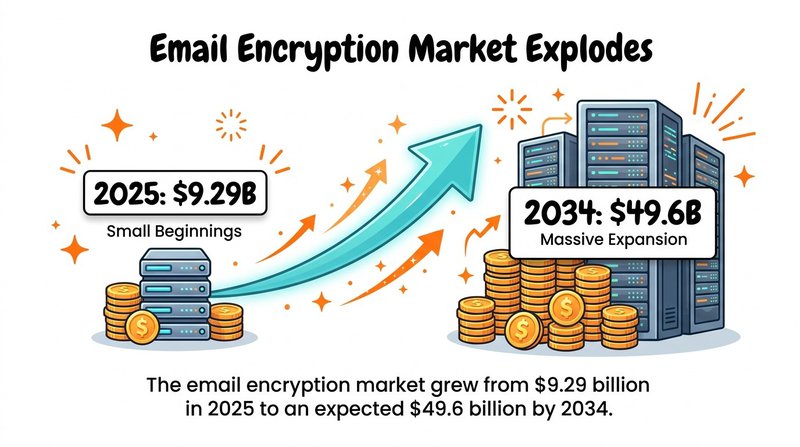
Email encryption market surge: from $9.29B (2025) to $49.6B (2034) as organizations prioritize secure communications.
Why Plain Email Is Like Sending Postcards
Unencrypted email exposes your message at multiple points. When you hit send, your message travels through your email server, your recipient's email server, and often several relay servers in between.
Each server can log, read, or store your message. Network administrators, hackers who've compromised servers, and government agencies with legal access can all potentially read your unencrypted emails.
Approximately 94% of malware arrives via email channels, making email the primary attack vector for most cybersecurity breaches.
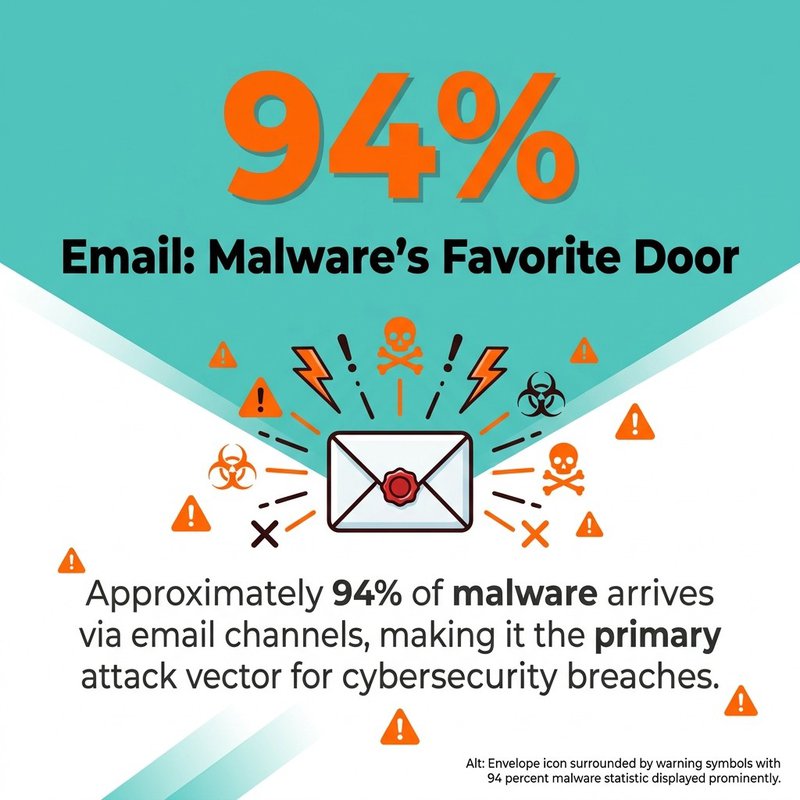
94% of malware comes through email—reinforcing why encryption and filtering are critical first lines of defense.
Your email metadata (sender, recipient, subject line, timestamp) remains visible even with encryption. Only the message body and attachments get scrambled.
The Two Layers of Email Protection
Email encryption operates at two distinct layers. Understanding the difference helps you choose the right protection for your needs.
Transport-level encryption protects your message while it travels between servers. It's like an armored truck delivering your letter. The message is protected in transit, but the email provider can still read it when it arrives.
End-to-end encryption locks your message from the moment you send it until your recipient unlocks it. The email servers can't read the content, even though they handle delivery.
Most email providers use transport-level encryption by default. You need to actively enable end-to-end encryption for maximum privacy.
Transport Layer Security Protocols
TLS (Transport Layer Security) is the most common email encryption method today. It replaced the older SSL (Secure Sockets Layer) protocol, though people still sometimes use the terms interchangeably.
When your email client connects to your email server using TLS, it creates an encrypted tunnel. All data passing through that tunnel is protected from eavesdropping.
Most major email providers support TLS automatically. Mailchimp, HubSpot, and other platforms we integrate with at mailfloss all use TLS by default.
How TLS Encryption Works
TLS uses asymmetric encryption for the initial handshake, then switches to faster symmetric encryption for the actual data transfer.
Here's what happens when you connect to an email server with TLS:
- Your email client requests a secure connection
- The server sends its TLS certificate proving its identity
- Your client verifies the certificate with a trusted authority
- Both sides agree on encryption methods and exchange keys
- Encrypted communication begins
This entire process happens in milliseconds. TLS 1.3 completes connection establishment 50 percent faster than TLS 1.2, making it both more secure and more efficient.
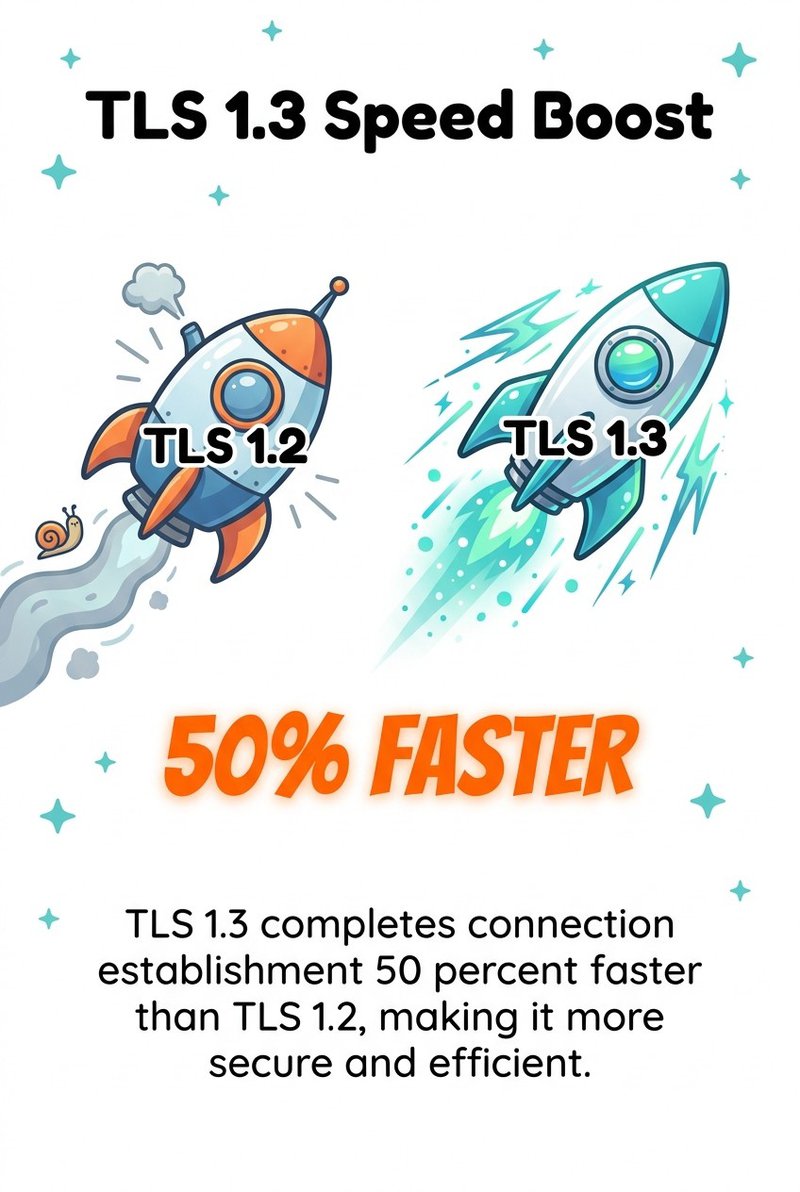
TLS 1.3 reduces handshake time by ~50% vs. TLS 1.2—improving security and performance for encrypted email connections.
The encryption strength depends on the cipher suite negotiated between client and server. Modern implementations typically use AES-256, a symmetric encryption standard considered unbreakable with current technology.
STARTTLS: Opportunistic Encryption
STARTTLS is a protocol extension that upgrades an unencrypted connection to an encrypted one. It's called "opportunistic" because it attempts TLS but falls back to unencrypted delivery if the receiving server doesn't support it.
When your email server sends a message, it first connects normally. Then it sends a STARTTLS command asking if the receiving server supports encryption. If yes, they negotiate TLS. If no, the message sends unencrypted.
This flexibility creates a security gap. An attacker can intercept the initial connection and remove the STARTTLS command, forcing both servers to communicate in plaintext. This is called a downgrade attack.
Better implementations use MTA-STS (Mail Transfer Agent Strict Transport Security), which requires TLS and prevents downgrade attacks. If the receiving server can't negotiate TLS, the email fails rather than sending unencrypted.
What TLS Doesn't Protect
TLS only encrypts email in transit between servers. Your email provider can still read your messages because they're stored unencrypted on their servers.
If someone compromises your email account or the recipient's account, they can read all messages. If law enforcement requests your emails with a warrant, your provider can hand them over.
In the United States, 41 percent of respondents incorrectly believe Gmail uses end-to-end encryption. Gmail uses TLS, which means Google can read your messages.
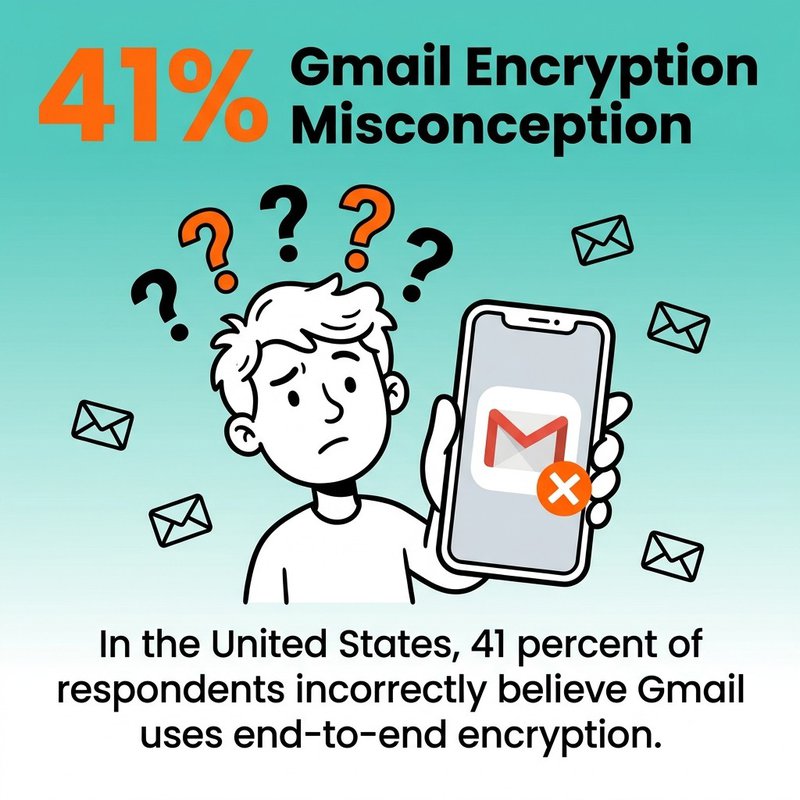
41% of U.S. respondents wrongly think Gmail is end-to-end encrypted—TLS protects in transit, not from the provider.
For true privacy, you need end-to-end encryption on top of transport-level security.
S/MIME Protocol Explained
S/MIME (Secure/Multipurpose Internet Mail Extensions) provides end-to-end email encryption using digital certificates. It's been around since the 1990s and works with most major email clients.
Unlike TLS, S/MIME encrypts your message content before it leaves your device. The email servers handling delivery can't decrypt it. Only your intended recipient can unlock the message.
S/MIME also provides digital signatures that prove a message actually came from you and wasn't tampered with during delivery.
How S/MIME Certificates Work
S/MIME relies on digital certificates issued by trusted Certificate Authorities. You get a certificate tied to your email address, containing your public key.
When you want to send an encrypted email, you need the recipient's public key certificate. Your email client uses their public key to encrypt the message. They use their private key to decrypt it.
For digital signatures, the process reverses. You use your private key to sign the message. Recipients use your public key to verify the signature.
Most email clients including Outlook, Apple Mail, and mobile email apps support S/MIME natively. You just need to install your certificate.
Getting S/MIME Certificates
You can obtain S/MIME certificates from commercial Certificate Authorities or through your organization's IT department.
Free certificates exist but typically have limitations. Paid certificates offer stronger identity verification and better compatibility across email clients.
Enterprise organizations often run their own internal Certificate Authority. This simplifies certificate management but only works for internal email.
Certificate management creates ongoing overhead. By 2029, with 47-day certificates, an organization must manage approximately 8,000 renewal events annually for 1,000 certificates.
S/MIME Limitations
S/MIME requires both sender and recipient to have certificates installed. If your recipient doesn't have S/MIME set up, you can't send them encrypted email using this protocol.
Certificate distribution remains a challenge. You need to exchange certificates before sending encrypted messages, usually by first sending a signed (but unencrypted) email.
Mobile support varies. While iOS and Android support S/MIME, the setup process isn't always user-friendly.
S/MIME works best in enterprise environments where IT departments can manage certificate deployment and renewal.
PGP and OpenPGP Standards
PGP (Pretty Good Privacy) takes a different approach to end-to-end email encryption. Instead of relying on Certificate Authorities, it uses a "web of trust" where users verify each other's identities.
OpenPGP is the open standard based on PGP. It's implemented in free tools like GnuPG and commercial products like Symantec Encryption.
PGP encryption is mathematically similar to S/MIME, using public and private key pairs. The key management philosophy differs completely.
The Web of Trust Model
With PGP, you generate your own key pair. You publish your public key to key servers or share it directly with contacts.
Instead of trusting Certificate Authorities, PGP users sign each other's keys. If you verify someone's identity (by checking their ID in person, for example), you can sign their key to vouch for them.
When you receive a key from a stranger, you can see who's signed it. If people you trust have signed their key, you can have confidence it actually belongs to them.
This decentralized approach appeals to privacy advocates. It doesn't rely on commercial Certificate Authorities or centralized infrastructure.
PGP Implementation Challenges
PGP's flexibility comes with complexity. Setup requires more technical knowledge than S/MIME.
You need to install additional software in most cases. While some email clients have built-in PGP support, most require plugins or external tools.
Key management falls entirely on users. You must back up your private key securely, distribute your public key, and manually verify keys of contacts you want to email securely.
The web of trust works well for small, tight-knit communities but struggles to scale. Most users end up trusting keys without proper verification, undermining the security model.
When PGP Makes Sense
PGP excels in situations where you can't or won't trust Certificate Authorities. Journalists communicating with sources, activists in hostile countries, and privacy-focused communities often prefer PGP.
Open-source implementations mean you can audit the code yourself. This transparency builds confidence that no backdoors exist.
For business use, S/MIME typically makes more sense due to easier management and better enterprise support. For personal privacy or specialized use cases, PGP remains the stronger choice.
Comparing Email Encryption Methods
Each encryption protocol serves different security needs. Choosing the right one depends on your threat model and technical capabilities.
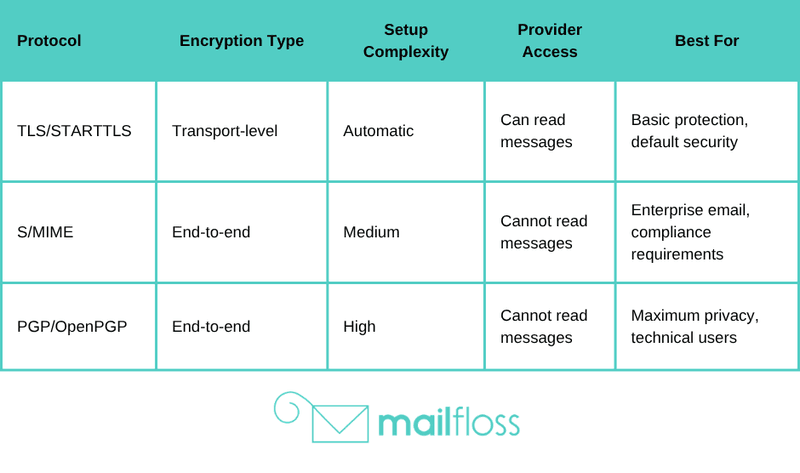
Security vs. Convenience Trade-offs
Transport-level encryption like TLS offers the best user experience. It requires zero user action and works transparently. The trade-off is that your email provider can read your messages.
End-to-end encryption provides stronger privacy but requires setup and key management. Both sender and recipient must use compatible systems.
Phishing attacks cost organizations an average of $4.8 million per breach, yet most phishing emails would fail if organizations implemented end-to-end encryption with sender verification.
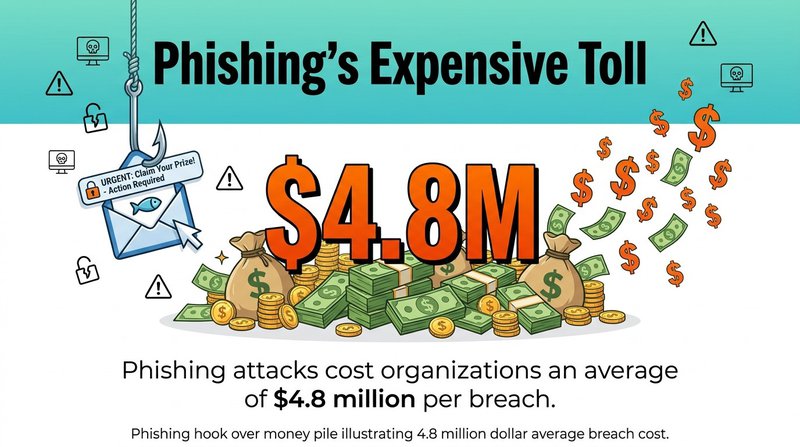
Average cost of a phishing breach: $4.8M—strong authentication and encrypted, signed emails can reduce risk and impact.
The strongest security often loses to convenience. That's why most people stick with TLS even though better options exist.
Encryption Doesn't Equal Security
Email encryption protects message content, not the overall security of your email account. Strong encryption won't help if someone has your password.
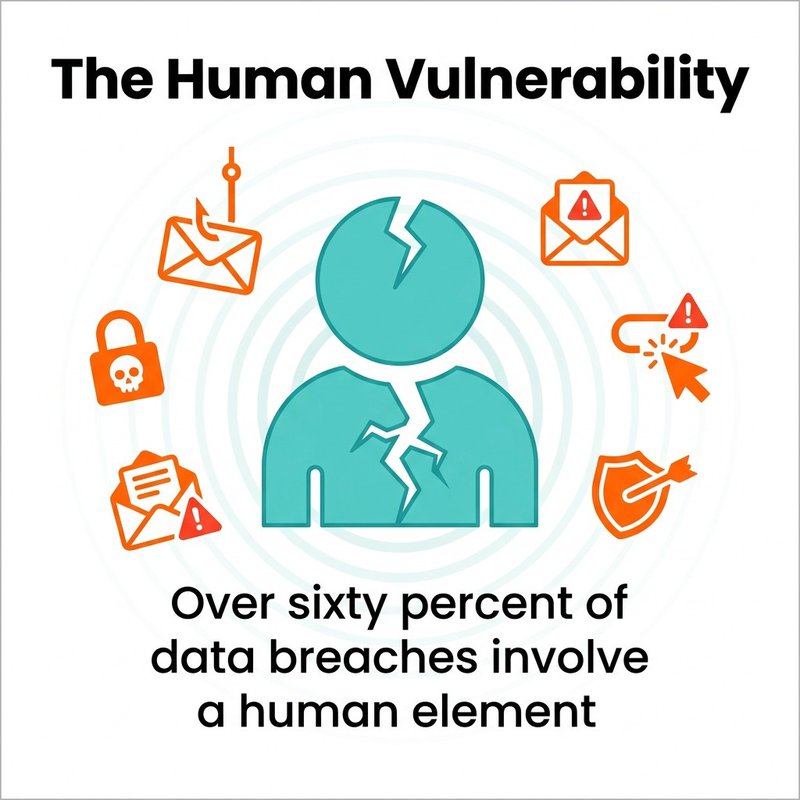
Human error contributes between 60 and 74 percent of all successful cyberattacks, making user behavior more important than encryption protocols.
Use multi-factor authentication on all email accounts. Verify sender identities before trusting emails, even encrypted ones.
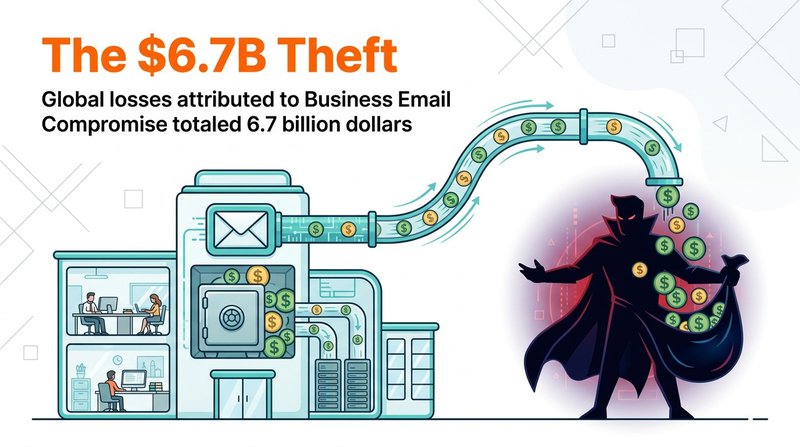
Encryption protects confidentiality. It doesn't prevent someone from impersonating your CFO and requesting a wire transfer.
Setting Up Email Encryption
Most modern email platforms include encryption options. The setup process varies by protocol and provider.
We'll walk through the practical steps for implementing each major encryption method.
Enabling TLS in Gmail
Gmail uses TLS by default for all connections. You don't need to configure anything for basic transport-level security.
To verify TLS is active, open any email in Gmail. Click the three dots menu, then "Show original." Look for "Received-SPF" and encryption details in the headers.
For additional security, enable Gmail's confidential mode. This adds expiration dates and removes forwarding options, though it's not true end-to-end encryption.
Gmail doesn't offer built-in end-to-end encryption. You need third-party tools or browser extensions for PGP or S/MIME with Gmail.
Configuring S/MIME in Outlook
Outlook has native S/MIME support. First, obtain an S/MIME certificate from your Certificate Authority or IT department.
Install the certificate by double-clicking the .p12 or .pfx file. Follow the certificate import wizard, making sure to mark the private key as exportable if you want to back it up.
In Outlook, go to File → Options → Trust Center → Trust Center Settings → Email Security. Click "Settings" under Encrypted Email.
Create a new security settings profile. Choose your certificate for signing and encryption. Check "Send these certificates with signed messages" so recipients get your public key.
Now you can encrypt individual messages by clicking the Encrypt button when composing. Outlook will automatically encrypt if you have the recipient's certificate.
Using PGP with Thunderbird
Thunderbird has built-in OpenPGP support as of version 78. No additional plugins are needed.
Go to Settings → Account Settings → End-to-End Encryption. Click "Add Key" and choose to generate a new key pair.
Create a strong passphrase to protect your private key. Thunderbird will generate your keys and display your public key fingerprint.
To send encrypted email, you need your recipient's public key. Import their key through the same End-to-End Encryption menu.
When composing a message, click the Security button and select "Require Encryption." Thunderbird will encrypt the message using the recipient's public key.
Mobile Email Encryption
iOS Mail supports S/MIME natively. Install your certificate profile, then enable S/MIME in Settings → Mail → Accounts → Account → Advanced.
Android email clients vary. K-9 Mail supports OpenPGP through integration with OpenKeychain.
For the best mobile encryption experience, consider using email providers with built-in end-to-end encryption like ProtonMail or Tutanota.
Advanced Encryption Considerations
Beyond basic encryption protocols, several advanced topics affect email security in 2026.
Perfect Forward Secrecy
Perfect forward secrecy ensures that if your private key is compromised, past communications remain secure. Each session uses a unique temporary key that's discarded after use.
Modern TLS implementations include perfect forward secrecy by default. It prevents attackers from recording encrypted traffic and decrypting it later if they steal your keys.
For end-to-end encryption, perfect forward secrecy is harder to implement. Most PGP and S/MIME communications don't use session keys, meaning a compromised private key exposes all past messages.
Post-Quantum Cryptography
Quantum computers will break today's encryption in hours or even minutes, making current RSA and elliptic curve cryptography vulnerable.
The National Institute of Standards and Technology has standardized post-quantum cryptographic algorithms. Email encryption will need to migrate to these new algorithms in the coming years.
Some email providers are already testing quantum-resistant encryption. The transition will take time, as it requires updating email clients, servers, and certificate infrastructure.
Metadata Protection
Email encryption protects message content but leaves metadata visible. Servers can see who you email, when, and how often, even with end-to-end encryption.
Subject lines remain unencrypted in standard S/MIME and PGP implementations. Some newer protocols encrypt subject lines, but compatibility suffers.
For maximum privacy, use email services that minimize metadata collection or route email through anonymizing networks. This adds complexity but protects communication patterns from analysis.
Email Authentication Protocols
Encryption works best alongside authentication protocols that verify sender identity. These prevent impersonation even when encryption is in use.
SPF, DKIM, and DMARC
SPF (Sender Policy Framework) lets you specify which servers can send email from your domain. Receiving servers check SPF records to verify the sending server is authorized.
DKIM (DomainKeys Identified Mail) adds a digital signature to your emails. The signature proves the message hasn't been altered and actually came from your domain.
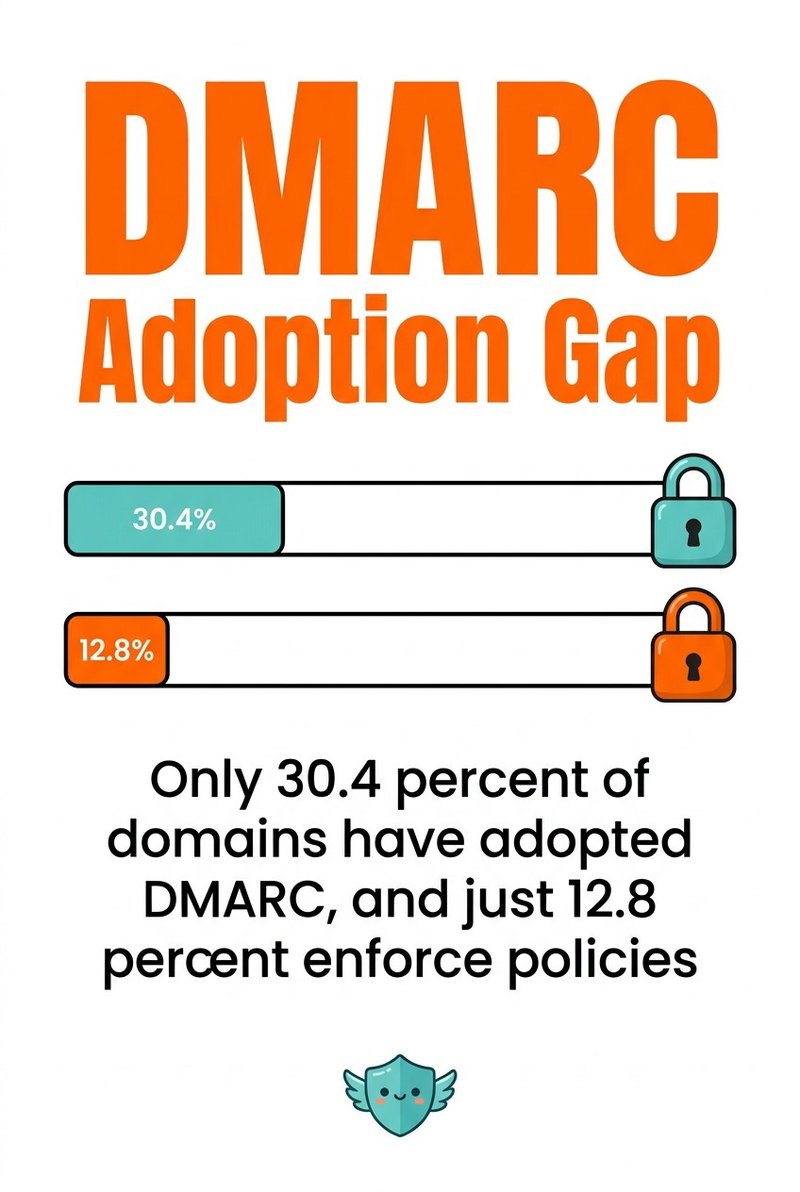
DMARC (Domain-based Message Authentication, Reporting, and Conformance) builds on SPF and DKIM. It tells receiving servers what to do if authentication fails.
Approximately 67% of Business Email Compromise attacks originate from free webmail services, highlighting why authentication protocols matter even in encrypted environments.
Set up these protocols at your DNS provider. Most email platforms provide instructions for adding the necessary DNS records. At mailfloss, we see significantly better deliverability from clients who properly configure authentication.
ARC and BIMI
ARC (Authenticated Received Chain) preserves authentication results when email passes through forwarding services. Without ARC, legitimate emails can fail authentication after being forwarded.
BIMI (Brand Indicators for Message Identification) displays your logo next to authenticated emails. It requires DMARC and a verified mark certificate.
These newer protocols improve both security and brand visibility. Implementing them signals to recipients that you take email security seriously.
Enterprise Email Encryption
Organizations face different email encryption challenges than individual users. Scale, compliance, and key management become critical concerns.
Centralized Key Management
Enterprise deployments need centralized control over encryption keys. If an employee leaves, IT must be able to decrypt their business emails.
Key escrow systems store copies of private keys securely. This allows authorized administrators to recover encrypted messages when needed.
Some organizations use Key Management Services that handle encryption automatically. Employees send and receive encrypted email without managing keys themselves.
The trade-off is that IT administrators can potentially access encrypted messages. For some compliance requirements, this is necessary. For maximum privacy, it's a dealbreaker.
Compliance Requirements
Healthcare organizations must comply with HIPAA, which requires encryption of ePHI (electronic protected health information). Both transport and at-rest encryption are typically necessary.
Financial services follow regulations like GLBA and PCI DSS. These often mandate encryption of customer financial data in email.
GDPR requires appropriate security measures for personal data. While it doesn't explicitly mandate encryption, it's considered a best practice and often necessary to meet security requirements.
Choose encryption protocols that meet your specific compliance needs. Document your encryption policies and train employees on proper use.
Email Gateway Solutions
Email security gateways sit between your email server and the internet. They can enforce encryption policies, scan for threats, and handle key management.
Popular gateways include Proofpoint, Mimecast, and Barracuda. They offer centralized policy management and reporting.
Gateways can automatically encrypt outbound email based on content rules. If an email contains a credit card number or matches compliance patterns, the gateway encrypts it.
This reduces the burden on users while ensuring sensitive data is always protected.
Practical Email Security Tips
Beyond choosing encryption protocols, follow these practices to maximize your email security.
What to Encrypt
Not every email needs end-to-end encryption. Use it for sensitive information like financial data, personal health information, legal documents, and confidential business communications.
For internal company email, transport-level encryption is often sufficient. Save end-to-end encryption for external communications with sensitive content.
Remember that encrypted email takes more effort from recipients. Overusing encryption for mundane messages creates friction and may lead people to ignore your encrypted messages.
Key Backup and Recovery
Losing your private key means losing access to all encrypted messages. Back up your keys securely, preferably to offline storage like a USB drive in a safe.
Encrypt your key backups with a strong password. If someone steals your backup drive, they shouldn't be able to use your keys.
Test your backups periodically. Make sure you can actually recover and use a backed-up key before you need it in an emergency.
Consider generating new keys every few years. This limits the damage if a key is eventually compromised.
Recognizing Secure Email
Check for encryption indicators before sending sensitive information. Most email clients show a lock icon or encryption badge for encrypted messages.
Verify digital signatures on important emails. The signature proves the message came from the claimed sender and wasn't modified.
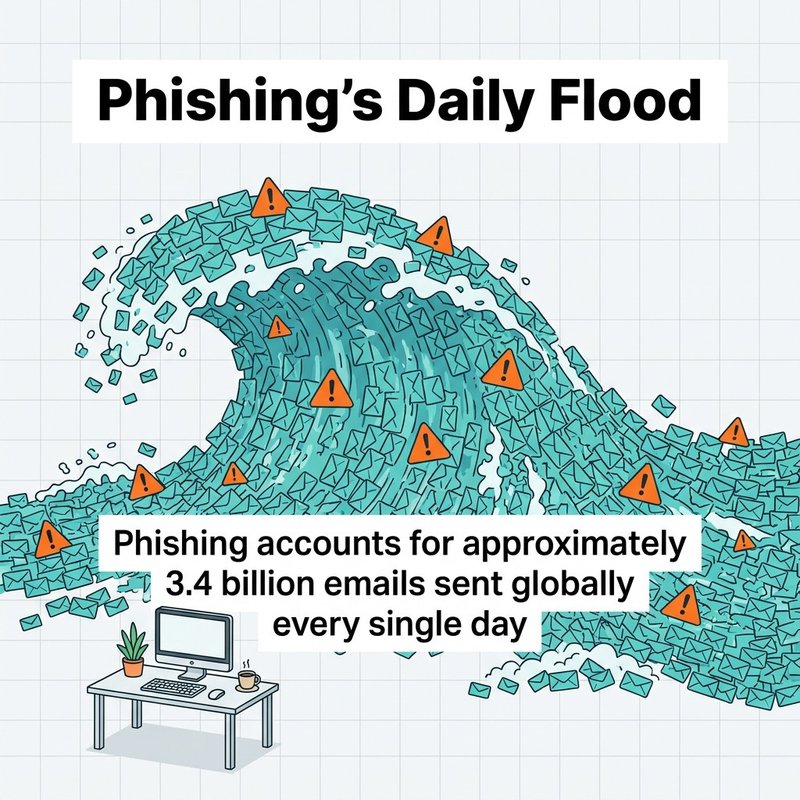
Be suspicious of unexpected encrypted emails from unknown senders. Encryption doesn't guarantee legitimacy. In Q1 2026, approximately 8.3 billion email-based phishing threats were detected, and attackers are starting to use encryption to appear more legitimate.
Always verify the sender's identity through a secondary channel before trusting encrypted content with sensitive requests.
Future of Email Encryption
Email encryption continues evolving to address new threats and improve usability.
Automated Key Distribution
Current end-to-end encryption requires manual key exchange. New protocols like Autocrypt automate this process, making encryption as easy as regular email.
Autocrypt includes public keys in email headers. Clients automatically collect and store keys as you correspond with people. When you want to encrypt, the key is already available.
This removes the biggest barrier to end-to-end encryption adoption. Users get strong security without managing keys manually.
Messaging vs. Email
Modern messaging platforms like Signal and WhatsApp offer better encryption than email. They use Signal Protocol, which provides end-to-end encryption, perfect forward secrecy, and encrypted metadata.
For highly sensitive communications, consider whether email is the right medium. Secure messaging apps often provide stronger security with better usability.
Email remains necessary for formal business communications, compatibility with legacy systems, and communication with people outside your organization. But it's no longer the only option for secure digital communication.
Investment in Email Security
Global information security spending is projected to reach $244.2 billion in 2026, with email security representing a significant portion of that investment.
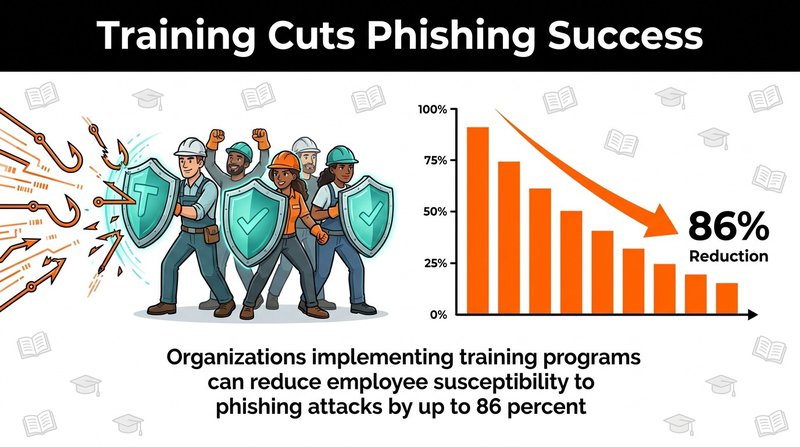
Organizations are finally recognizing that basic TLS isn't enough. The shift toward end-to-end encryption, authentication protocols, and security awareness training is accelerating.
We expect more email providers to offer built-in end-to-end encryption in the coming years. The tools exist, the standards are mature, and the threat environment demands better protection.
Common Email Encryption Questions
Which is better, RSA or AES?
AES encrypts data faster and more efficiently than RSA. RSA works better for key exchange and digital signatures. Modern email encryption uses both: RSA protects the AES session key, then AES encrypts your actual message content.
Is Gmail SSL or TLS?
Gmail uses TLS, not the older SSL protocol. Google automatically encrypts connections with STARTTLS when both servers support it. Legacy SSL protocols are no longer considered secure.
What email gets hacked the least?
Account compromise usually results from weak passwords and phishing, not provider choice. Gmail, Outlook, and other major providers offer strong security features. Enable multi-factor authentication and use unique passwords to protect any email account.
Choosing Your Email Encryption
You now understand how transport-level encryption like TLS protects email in transit. You know how end-to-end encryption with S/MIME or PGP keeps messages private from everyone except your recipient.
Start with the basics. Make sure all your email uses TLS at minimum. Verify your email authentication protocols are properly configured.
Add end-to-end encryption for sensitive communications. S/MIME makes sense for most business users. PGP works better if you prioritize maximum privacy over ease of use.
Your encryption needs will evolve. What works for a small business today might need upgrading as you grow or face new compliance requirements.
The most important step is the one you take today. Pick one encryption improvement and implement it this week. Better email security comes from consistent action, not perfect planning.
Clean email lists matter as much as encryption. Invalid addresses create delivery problems that even the best encryption can't solve. Verify your email list regularly to ensure your encrypted messages actually reach recipients.