Email compliance violations can cost you up to $53,088 per email under CAN-SPAM regulations. That's not a typo.
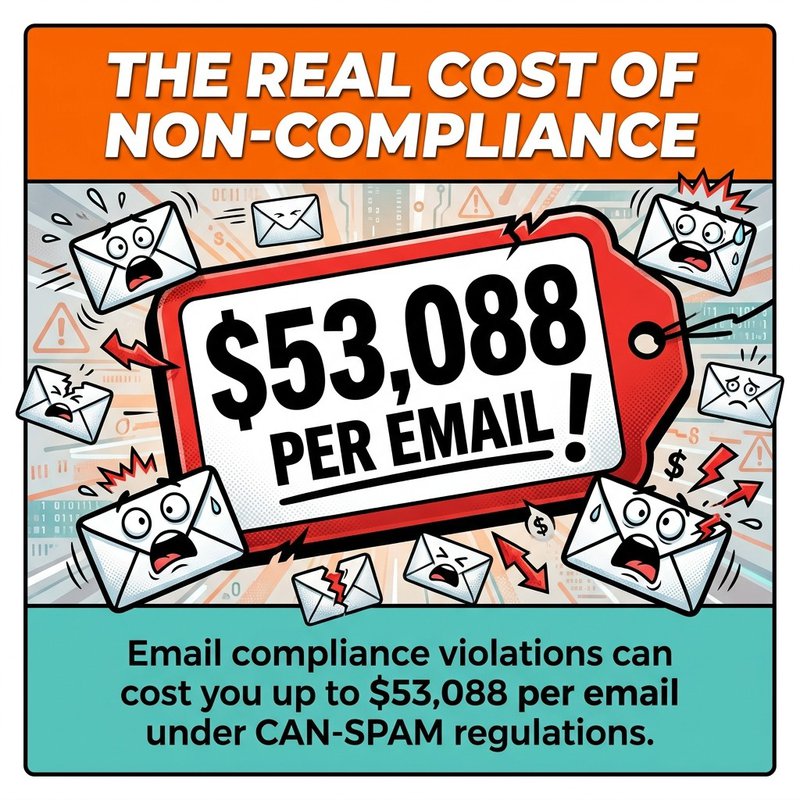
The real cost of non-compliance under CAN-SPAM can reach $53,088 per email.
But staying compliant doesn't mean spending hours manually managing consent records, unsubscribe requests, and data protection protocols. Email compliance automation handles the legal requirements automatically while you focus on growing your business.
We've built this guide to walk you through exactly how to set up automated compliance workflows that protect your business and keep your email marketing running smoothly. You'll discover which regulations apply to your situation, what tools handle compliance tasks automatically, and how to implement systems that work in the background without constant supervision.
By the end, you'll have a clear roadmap for automating consent management, unsubscribe processes, and data protection requirements. No legal jargon, no complicated setups—just practical workflows that keep you compliant while saving you time.
What Email Compliance Automation Actually Means
Email compliance automation means using software to handle legal requirements for email marketing without manual intervention. Instead of tracking consent records in spreadsheets or processing unsubscribe requests one by one, automated systems manage these tasks continuously.
The automation covers three main areas. First, consent management systems track who opted in, when they subscribed, and what permissions they granted. Second, unsubscribe automation processes opt-out requests immediately and updates your lists automatically. Third, data protection tools encrypt personal information and maintain required records.
Think of it like having a compliance assistant who never sleeps. Once you configure the rules, the system enforces them consistently across every email you send.
Manual compliance creates problems busy professionals don't have time for. Someone requests removal from your list at 9 PM on Friday—if you're processing requests manually, they might still receive Monday's campaign. That single delay violates CAN-SPAM requirements and damages your sender reputation.
Automation solves this by processing requests instantly. When someone clicks unsubscribe, they're removed from all active campaigns within seconds. No waiting for someone to check an inbox or update a database.
Why Manual Compliance Processes Fail
Manual processes break down under scale. When you're sending to 500 subscribers, checking consent records manually might work. At 5,000 subscribers across multiple campaigns, it becomes impossible to maintain accuracy.
Human error compounds quickly with compliance tasks. A single missed unsubscribe request, forgotten consent record, or incorrect data handling practice can trigger penalties. The risk grows with every email you send.
Email marketing automation platforms like Mailchimp, ActiveCampaign, and Klaviyo integrate compliance features directly into their sending infrastructure. You set the rules once, and the platform enforces them automatically across all campaigns.


Core Regulations Driving Email Compliance Requirements
Understanding which regulations apply to your email marketing determines what you need to automate. Three major laws govern email compliance worldwide: GDPR, CAN-SPAM, and CASL.
GDPR Requirements for Email Marketing
The General Data Protection Regulation applies if you're sending emails to anyone in the European Union, regardless of where your business operates. GDPR requires explicit consent before sending marketing emails.
Explicit consent means subscribers actively opt in. Pre-checked boxes don't count. Silence doesn't count. You need a clear, affirmative action where someone indicates they want to receive your emails.
GDPR also mandates that you document when consent was given, what the person consented to, and how they consented. This documentation must be readily available if questioned by regulators or subscribers.
Personal data protection extends beyond just email addresses. Names, location data, purchase history, browsing behavior—anything that identifies an individual falls under GDPR's data protection requirements. You must encrypt this data, limit who can access it, and delete it upon request.
CAN-SPAM Act Compliance Basics
CAN-SPAM governs commercial email in the United States. Unlike GDPR, it doesn't require opt-in consent, but it does mandate specific sender requirements and unsubscribe processes.
Every commercial email must include your physical business address, accurate sender information, and a clear subject line that reflects the email content. Misleading headers or deceptive subject lines violate CAN-SPAM even if everything else is compliant.
The unsubscribe mechanism must process opt-out requests within 10 business days. That's the maximum—best practice is immediate removal. Violations carry penalties ranging from $43,280 to $50,000 per email.
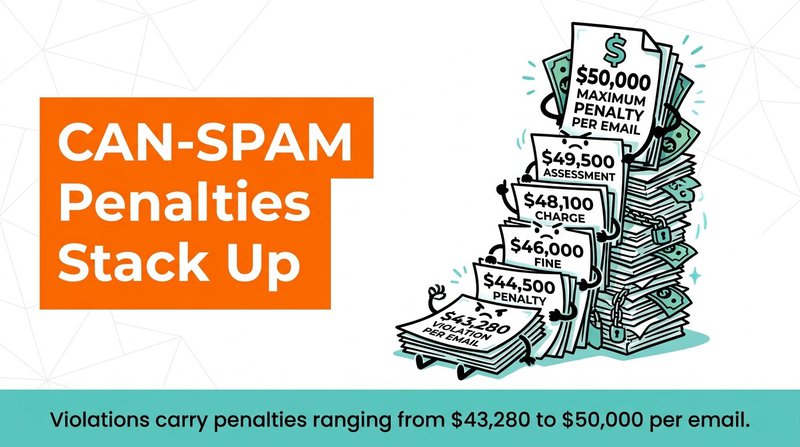
CAN-SPAM penalties can stack: $43,280–$50,000 per email.
Transactional emails like order confirmations and password resets have different rules than promotional emails. You can send transactional emails without consent, but they can't include marketing content or you'll trigger CAN-SPAM requirements.
CASL Rules for Canadian Recipients
Canada's Anti-Spam Legislation takes the strictest approach. CASL requires express consent before sending commercial electronic messages to Canadian recipients.
Express consent means the recipient provided clear agreement to receive emails from your specific business. Implied consent exists in limited situations—existing business relationships, for example—but expires after two years without a purchase.
CASL consent requests must clearly identify your business, explain why you're asking for consent, and provide contact information. The request itself can't be buried in terms and conditions or combined with other agreements.
Unsubscribe mechanisms must be free and available in every message. Unlike CAN-SPAM's 10-day window, CASL doesn't specify a processing timeframe, but reasonable practice suggests immediate removal.
Building Automated Consent Management Systems
Consent management forms the foundation of email compliance automation. Your system needs to capture consent clearly, store consent records securely, and make those records accessible for verification.
Setting Up Double Opt-In Verification
Double opt-in provides the strongest consent documentation. When someone submits their email address, they receive a confirmation message requiring them to click a verification link before joining your list.
This two-step process proves the person owns the email address and actively wants to receive your messages. It eliminates accidental signups, reduces fake addresses, and creates an undeniable consent record.
Configure your email marketing platform to require double opt-in for all new subscribers. In HubSpot, navigate to Marketing → Email → Configuration and enable double opt-in for your subscription types. In Mailchimp, edit your audience settings and turn on "Enable double opt-in."

The confirmation email should arrive within seconds of signup. Make the subject line clear: "Please confirm your subscription to [Your Business]." Include a prominent confirmation button that's easy to tap on mobile devices.
Tracking Consent Sources and Timestamps
Every consent record needs four pieces of information: who consented, when they consented, what they consented to, and how they consented. Automation platforms like ActiveCampaign and Klaviyo capture this automatically.
When someone subscribes through a website form, the system logs the form source, timestamp, and IP address. When they opt in during checkout, it records the purchase confirmation as the consent mechanism. This creates an audit trail proving compliance.
Store consent data separately from your general subscriber information. If someone requests proof of consent or wants their data deleted under GDPR, you need immediate access to these records without searching through campaign data.
Set up custom fields in your email platform to track consent specifics. Create fields for consent_date, consent_source, and consent_type. These fields populate automatically when someone subscribes through integrated forms or your website.
Managing Consent Preferences Automatically
Subscribers should control what types of emails they receive. Preference centers let people opt into specific content categories while remaining on your list overall.
Build a preference center page where subscribers select their interests: product updates, educational content, promotional offers, event announcements. When someone updates preferences, your automation platform adjusts which campaigns reach them.
Link to your preference center in every email footer. Include it alongside your unsubscribe link: "Update your email preferences or unsubscribe." This gives people an option between total removal and managing their inbox experience.
Platforms like GetResponse and Brevo provide built-in preference center builders. Configure the page once, and the system automatically respects subscriber choices across all campaigns.

Automating Unsubscribe and Opt-Out Processes
Unsubscribe automation is mandatory for compliance and sender reputation. Manual processing creates delays that violate regulations and frustrate people trying to leave your list.
Implementing One-Click Unsubscribe Links
Every marketing email must include a clear unsubscribe link. Don't bury it in tiny text or hide it behind multiple clicks. CAN-SPAM requires that unsubscribing take no more effort than opting in originally.
Configure your email platform to add unsubscribe links automatically. Modern platforms insert these links into email templates by default. In Mailchimp, use the *|UNSUB|* merge tag in your template footer.
When someone clicks unsubscribe, process the request immediately. Don't require them to log in, confirm their choice multiple times, or provide reasons for leaving. Each additional step risks compliance violations.
Test your unsubscribe process monthly. Subscribe with a test email address and verify the unsubscribe link works correctly. Check that the system removes the address from all active campaigns and suppression lists update properly.
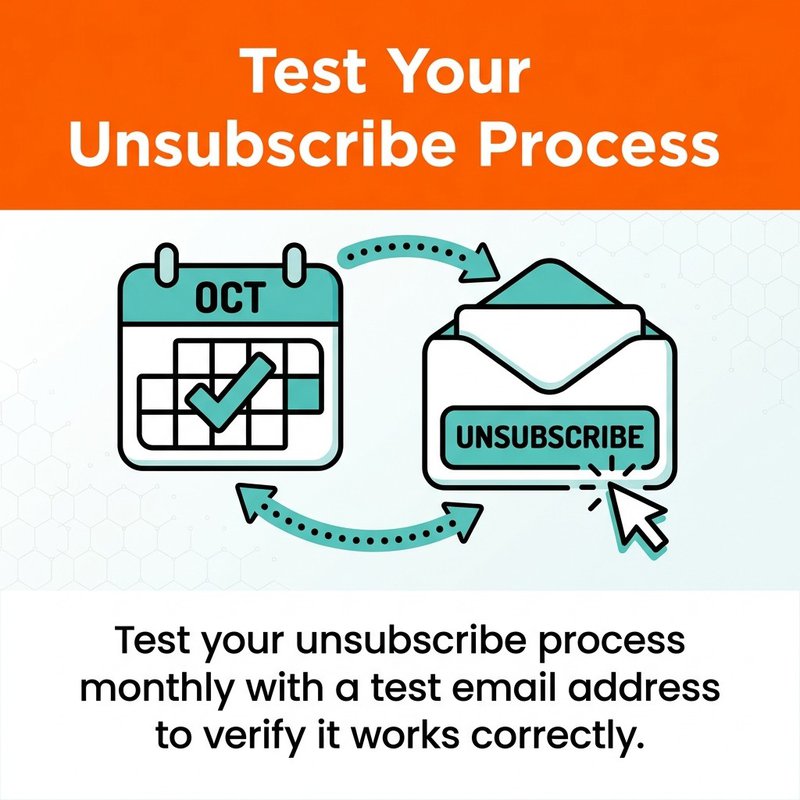
Pro tip: test your unsubscribe flow monthly with a throwaway inbox.
Building Suppression Lists That Sync Automatically
Suppression lists prevent unsubscribed addresses from receiving emails even if they're accidentally re-added to your database. This protects you from compliance violations caused by database errors or imported lists containing old addresses.
Your email automation platform maintains a master suppression list automatically. When someone unsubscribes from any campaign, their address goes on this list permanently unless they actively resubscribe through double opt-in.
Integrate your suppression list across all email-sending systems. If you use multiple platforms like HubSpot for marketing and Customer.io for transactional emails, ensure suppression lists sync between them.
Set up automated exports of your suppression list weekly. Store these exports securely as proof of compliance. If someone claims they unsubscribed but continued receiving emails, these records document when they were suppressed.
Creating Automated Re-engagement Workflows
Before someone unsubscribes, give them alternatives. Automated re-engagement workflows detect inactive subscribers and offer options like reducing email frequency or switching content preferences.
Build a workflow triggered when someone hasn't opened emails in 60 days. Send a re-engagement message asking if they want to stay subscribed, adjust preferences, or unsubscribe. Make all three options equally visible and easy to choose.
This approach reduces unsubscribe rates while respecting subscriber preferences. People appreciate having control over their inbox experience rather than facing an all-or-nothing choice.
If someone doesn't respond to re-engagement attempts after 90 days of inactivity, automatically suppress them from campaigns. Sending to disengaged subscribers damages deliverability and increases spam complaints more than it helps your metrics.
Email Authentication Protocols for Compliance
Email authentication proves your emails actually come from your domain and haven't been tampered with. Authentication isn't just about security—it's increasingly required for compliance and deliverability.
Configuring SPF Records
Sender Policy Framework (SPF) tells receiving servers which IP addresses are authorized to send email from your domain. Without SPF, anyone can forge emails claiming to be from your business.
Set up SPF by adding a TXT record to your domain's DNS settings. The record lists authorized sending servers. If you send through Mailchimp, include their servers in your SPF record.
A basic SPF record looks like: v=spf1 include:servers.mcsv.net ~all. This tells receiving servers to check Mailchimp's SPF record and apply a soft fail to other sources.
Test your SPF configuration using online validators. Enter your domain and verify that all legitimate sending sources are included. Update the record whenever you add new email-sending services.
Implementing DKIM Signatures
DomainKeys Identified Mail (DKIM) adds a digital signature to your emails. Receiving servers verify this signature against your published public key, confirming the email wasn't altered in transit.
Enable DKIM in your email platform settings. The platform generates a public/private key pair and provides DNS records to publish. Add these records to your domain DNS, and the platform automatically signs outgoing emails.
In ActiveCampaign, go to Settings → Advanced → Domain Authentication. Follow the setup wizard to generate DKIM records. Copy the provided records to your DNS provider exactly as shown.
DKIM failures indicate potential security issues or configuration problems. Monitor your authentication reports to catch and fix DKIM errors before they impact deliverability.
Setting Up DMARC Policies
Domain-based Message Authentication, Reporting, and Conformance (DMARC) ties together SPF and DKIM. It tells receiving servers what to do with emails that fail authentication and provides reports on authentication results.
Start with a DMARC policy set to "none" for monitoring. This collects data without affecting email delivery. Your DMARC record looks like: v=DMARC1; p=none; rua=mailto:dmarc-reports@yourdomain.com
Review DMARC reports weekly to identify authentication failures. These reports show which emails failed SPF or DKIM checks and why. Fix configuration issues before tightening your policy.
Once authentication is working consistently, upgrade to p=quarantine or p=reject. These policies instruct receiving servers to filter or block emails failing authentication, protecting your domain from spoofing.
Data Protection and Email Encryption Automation
Personal data in your email lists requires protection under GDPR and similar privacy laws. Encryption and access controls prevent unauthorized access to subscriber information.
Encrypting Subscriber Data at Rest
Data at rest means stored information in your database. This includes email addresses, names, purchase history, and behavioral data. Encryption scrambles this data so it's unreadable without the decryption key.
Most email marketing platforms encrypt data automatically. Klaviyo, Brevo, and HubSpot use AES-256 encryption for subscriber data. Verify your platform's encryption standards in their security documentation.
If you export subscriber lists for backup or analysis, encrypt those files. Use tools like 7-Zip with AES-256 encryption before storing files locally or in cloud storage.
Securing Data Transmission
Data in transit moves between systems—from your website to your email platform, or from your platform to subscribers' inboxes. This data needs encryption to prevent interception.
Use TLS (Transport Layer Security) for all email transmission. Modern email platforms enable TLS by default, encrypting the connection between sending and receiving servers.
Verify your website's signup forms use HTTPS. When someone submits their email address through an unencrypted HTTP form, that data is vulnerable to interception. SSL certificates are free through services like Let's Encrypt.
API connections between your email platform and other tools should use HTTPS endpoints. Check integration settings to confirm secure connections are required.
Automating Data Retention and Deletion
GDPR requires deleting personal data when it's no longer needed for its original purpose. You can't keep subscriber data indefinitely just because you might use it someday.
Set up automated deletion workflows for inactive subscribers. After someone unsubscribes, keep their data for 90 days to handle any compliance questions, then automatically delete all personal information except what's required for legal compliance.
Create a data retention policy specifying how long you keep different data types. Active subscribers remain indefinitely, unsubscribed contacts for 90 days, and suppression list entries permanently to prevent re-subscription.
Platforms like HubSpot allow setting data retention rules that execute automatically. Configure these rules once, and the system handles deletion without manual intervention.
Email Compliance Software and Platform Selection
Choosing the right email compliance software determines how much manual work remains after automation. Not all platforms offer the same compliance features or automation capabilities.
Essential Compliance Features to Look For
Automated consent tracking should capture and store detailed consent records without manual data entry. The platform needs to log when someone subscribed, through which form or process, and what permissions they granted.
Built-in preference centers give subscribers control over email frequency and content types. The system should automatically respect these preferences across all campaigns without requiring manual segmentation.
Instant unsubscribe processing removes people from active campaigns immediately. Verify the platform updates suppression lists in real-time and syncs these lists across all campaign types.
Compliance reporting provides proof of adherence to regulations. Look for systems that generate consent reports, unsubscribe processing logs, and authentication status dashboards.
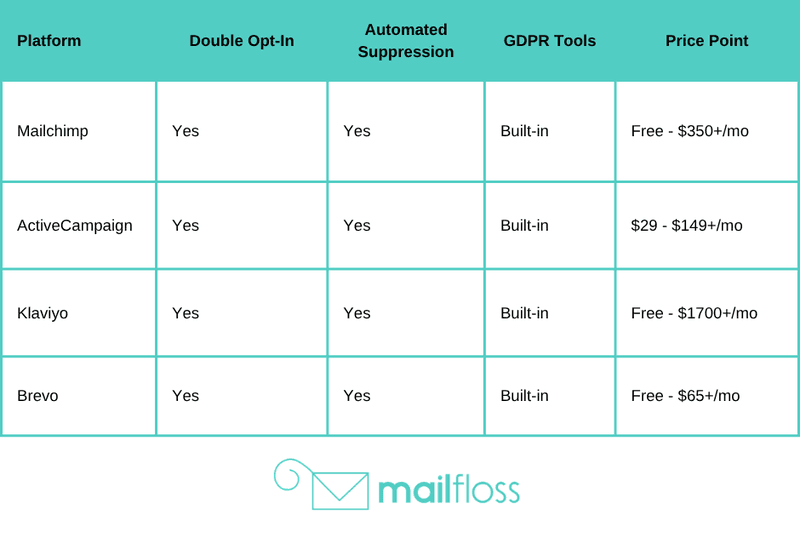
Integrating Compliance Tools With Marketing Platforms
Your email compliance automation needs to connect with your broader marketing technology. Data flows between your website, CRM, email platform, and analytics tools—each connection point needs compliance controls.
Use platforms with native integrations to your existing tools. If you're using Salesforce as your CRM, choose an email platform like HubSpot or ActiveCampaign with pre-built Salesforce connections.
Configure integrations to sync consent data bidirectionally. When someone updates preferences in your CRM, those changes should reflect in your email platform automatically. When someone unsubscribes via email, that status should update in your CRM.
Tools like Zapier can bridge gaps between platforms lacking direct integrations. Set up Zaps that trigger on unsubscribe events, consent changes, or preference updates to keep all systems synchronized.
Monitoring Compliance Automation Performance
Automation doesn't mean "set and forget" when it comes to compliance. Regular monitoring catches configuration errors, integration failures, and policy gaps before they cause violations.
Set up weekly compliance audits checking key metrics. Verify unsubscribe requests are processing within required timeframes, consent records are capturing properly, and suppression lists are syncing correctly.
Monitor your spam complaint rate closely. Average spam complaint rates doubled to 0.07% in 2024. If your rate exceeds industry averages, investigate whether compliance issues are contributing to complaints.
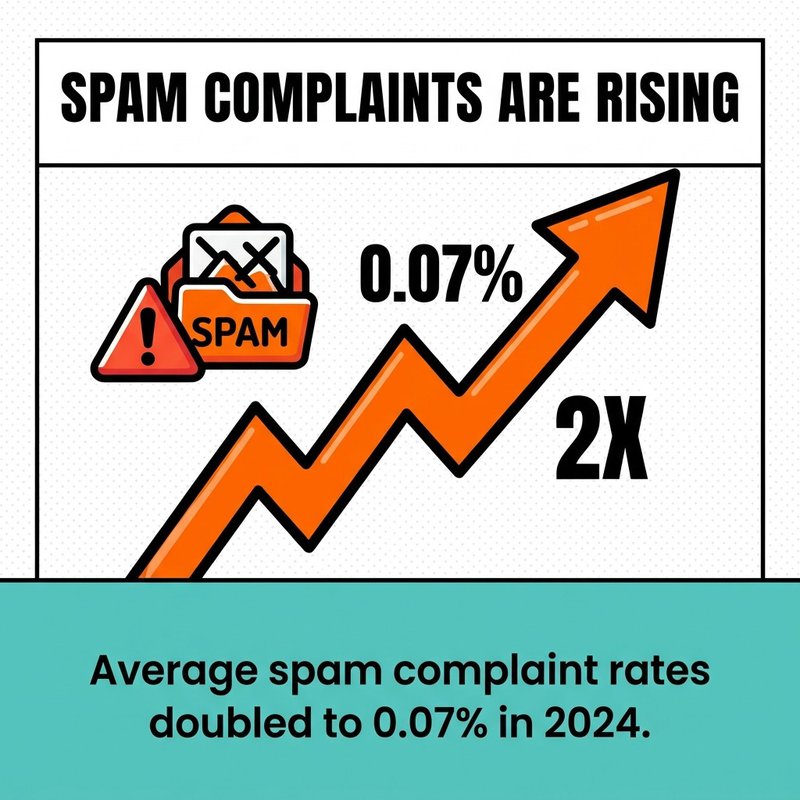
Spam complaints are on the rise—averaging 0.07% in 2024.
Create alerts for compliance failures. Configure your email platform to notify you immediately when authentication fails, unsubscribe processing errors occur, or integration syncs break. Fast response prevents small issues from becoming regulatory violations.
Building Automated Compliance Workflows
Compliance workflows connect your various automation tools into systematic processes that run without constant supervision. These workflows handle common scenarios automatically while flagging unusual situations for manual review.
New Subscriber Onboarding Compliance
Build a workflow that begins when someone submits their email address. The system immediately sends the double opt-in confirmation email with a clear subscription verification link.
When they click the confirmation link, the workflow logs consent details: timestamp, IP address, form source, and specific permissions granted. This data saves to your compliance records automatically.
The workflow then adds them to appropriate campaigns based on their signup source or selected preferences. If they signed up for a specific lead magnet, they enter that nurture sequence. If they checked boxes for multiple content types, they're tagged for all relevant campaigns.
Configure this workflow once in your automation platform. ActiveCampaign calls these "Automations," Mailchimp uses "Customer Journeys," and Klaviyo has "Flows." The terminology differs but the function is identical.
Preference Update Automation
Create a workflow triggered when someone updates their email preferences. The system immediately adjusts which campaigns they receive without waiting for manual list updates.
If they opt out of promotional emails but keep educational content, the workflow removes them from promotional segments while maintaining their educational subscriptions. If they reduce frequency from weekly to monthly, it adjusts delivery schedules automatically.
Log each preference change with timestamps and the specific changes made. This creates an audit trail showing you respected subscriber choices and when adjustments took effect.
Send a confirmation email after preference updates. This confirms the change was processed and provides a chance to correct mistakes if someone accidentally selected the wrong option.
Inactive Subscriber Management
Build a workflow identifying subscribers who haven't engaged with emails in 60 days. These workflows protect your sender reputation while giving people chances to re-engage before being removed.
The workflow sends a re-engagement email asking if they want to continue receiving messages. Provide clear options: stay subscribed with current preferences, update preferences, reduce frequency, or unsubscribe.
If they don't respond within 30 days, send a final confirmation email. "We noticed you haven't engaged with our emails. Click here to stay subscribed, or we'll automatically remove you in 7 days."
After the 7-day grace period with no response, automatically suppress them from campaigns. Don't delete their record immediately—keep it for compliance documentation—but stop sending emails.
Email List Hygiene and Maintenance Automation
List hygiene directly impacts compliance and deliverability. Invalid addresses, spam traps, and typos create delivery problems that automation can prevent or fix automatically.
Automated Email Verification
Email verification tools check addresses for validity before they enter your system. These tools identify syntax errors, inactive domains, and known spam traps that would damage your sender reputation.
Integrate verification at signup points. When someone submits an email through your website form, the verification API checks it instantly. Invalid addresses are rejected with an error message asking the person to correct their entry.
Tools like mailfloss connect directly with email marketing platforms to clean lists automatically. Once integrated with platforms like Mailchimp, HubSpot, or Klaviyo, the system runs verification checks continuously without manual intervention.

Automatic Typo Correction
Common typos in email addresses are correctable automatically. "user@gmial.com" should be "user@gmail.com"—your system can catch and fix these mistakes before sending.
Email verification services detect and correct typos in major provider domains. When someone types "user@yahooo.com" or "user@hotmial.com," the system suggests or automatically applies the correction.
Set up real-time correction at form submission. When someone enters an email with a detected typo, show them the corrected version and ask for confirmation. This prevents bad addresses from entering your system while letting people verify the correction is accurate.
Bounce Management and List Updates
Hard bounces indicate permanent delivery failures—the address doesn't exist, the domain is invalid, or the mailbox is closed. Continuing to send to hard bounces damages your sender reputation.
Configure your platform to automatically remove hard bounces after the first failure. There's no benefit to retry attempts. In Mailchimp, this happens automatically. Verify your platform handles hard bounces immediately.
Soft bounces indicate temporary issues—full mailbox, server problems, or temporary blocks. Set your platform to retry soft bounces three times over 72 hours, then remove addresses that continue bouncing.
Monitor bounce rates weekly. Sudden increases suggest list quality issues or sender reputation problems requiring investigation.
Compliance Documentation and Record Keeping
Documentation proves compliance when questions arise. Regulators and subscribers may request proof you followed proper consent procedures or processed unsubscribe requests correctly.
Automated Consent Record Storage
Your email platform stores consent records automatically when configured properly. These records include the subscriber's email, consent timestamp, consent method, IP address, and specific permissions granted.
Export consent records monthly and store them securely outside your email platform. This provides backup documentation if platform issues occur or if you switch providers.
Structure exports to include all required compliance fields. Create a standardized format with columns for email, consent_date, consent_source, IP_address, and granted_permissions. Consistent formatting makes records easier to search and reference.
Unsubscribe Request Logging
Log every unsubscribe request with the date, time, and method used. This documentation proves you processed requests within required timeframes if someone claims they continued receiving emails after unsubscribing.
Your automation platform logs this automatically in activity history. Verify logs are accessible and exportable. HubSpot shows detailed contact timelines including subscription changes. ActiveCampaign provides contact activity logs with unsubscribe events.
Set up automated reports showing all unsubscribe activity in the past 30 days. Review these reports monthly to verify processing is happening correctly and identify any delays requiring investigation.
Email Archiving Requirements
Some industries require keeping copies of all sent emails for regulatory compliance. Financial services, healthcare, and legal sectors often have email archiving mandates.
Email archiving services automatically capture and store copies of every message sent. These archives are immutable and searchable for compliance audits or legal discovery.
Check whether your industry requires email archiving. If so, implement an archiving solution that integrates with your email platform. Services like Barracuda Email Archiving or Mimecast capture marketing and transactional emails automatically.
Define retention periods based on regulatory requirements and business needs. Some regulations require 7-year retention, others specify shorter periods. Configure automatic deletion after the retention period expires to avoid storing data indefinitely.
Making Compliance Automation Work for Your Business
Email compliance automation protects your business from expensive violations while freeing you from manual compliance tasks. The automation we've covered—from consent management to unsubscribe processing to data protection—runs continuously once configured properly.
Start with your biggest compliance risk. If you're sending to EU subscribers without documented consent, prioritize consent tracking and double opt-in. If unsubscribe processing takes days instead of minutes, fix that automation first.
Organizations with mature automation strategies achieve 32% higher marketing ROI compared to those relying on manual processes. Compliance automation isn't just about avoiding penalties—it's about running email marketing efficiently while protecting your business and respecting subscribers.
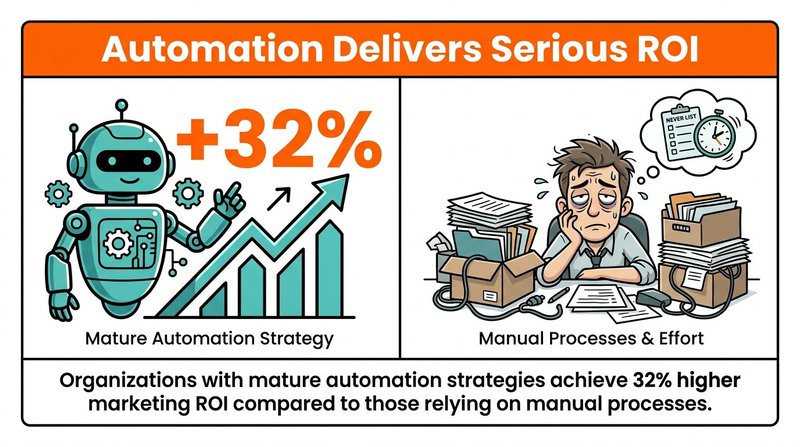
Automation pays off: mature programs see 32% higher marketing ROI.
Set up your compliance workflows this week. Choose one workflow from this guide and implement it completely before moving to the next. Trying to automate everything simultaneously creates configuration errors and integration problems.
Test each workflow thoroughly after setup. Subscribe with test addresses, trigger unsubscribe processes, and verify records are logging correctly. Regular testing catches problems before they impact real subscribers or create compliance issues.
Email compliance becomes simpler when systems handle requirements automatically. You'll spend less time on administrative tasks and more time creating email content that actually engages your audience. For more detailed guidance on specific compliance workflows, check out our guides on email workflow automation, GDPR-compliant opt-in practices, and CAN-SPAM compliance requirements.

No comments:
Post a Comment