Email workflow automation transforms how you communicate with subscribers by sending targeted messages triggered by specific actions, behaviors, or schedules. It's a system that runs 24/7, delivering personalized emails at exactly the right moment without manual intervention. Instead of batch-and-blast campaigns, automated workflows create one-on-one conversations that evolve based on each recipient's journey with your brand.
What makes workflow automation powerful? Each automated email sequence operates based on triggers like signups, purchases, cart abandonment, or browsing behavior. When someone takes a specific action, the workflow springs into life, sending a series of perfectly timed messages designed to nurture, convert, or re-engage that subscriber.
You'll get the most value from automation when you understand how different workflow types work together. Welcome sequences greet new subscribers, abandoned cart workflows recover lost sales, and re-engagement campaigns win back inactive contacts. Each workflow serves a distinct purpose in your customer journey.
And the impact? Automated email sequences generate 320% more revenue than non-automated emails. That's not just a marginal improvement, it's a complete shift in how your email marketing performs.
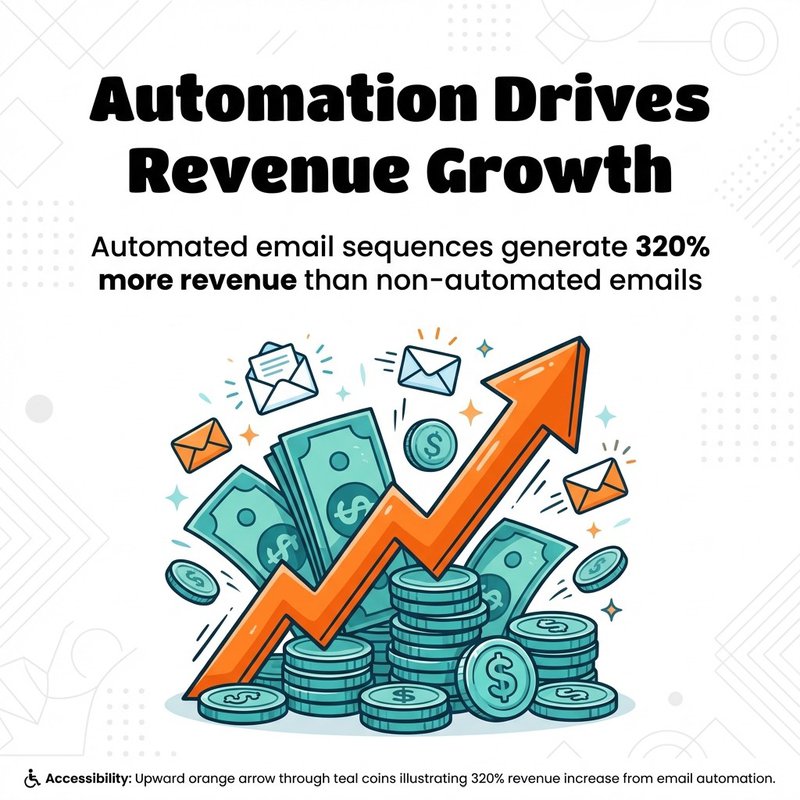
Automated sequences drive 320% more revenue than non-automated emails
What Email Workflow Automation Actually Means
Think of email workflow automation as your marketing team that never sleeps. You're essentially creating a series of "if this, then that" rules that send emails based on subscriber behavior, preferences, or timeline.
Unlike manual email campaigns where you compose and send each message individually, automation workflows run continuously once you set them up. When a subscriber meets specific criteria, they enter the workflow automatically and receive emails according to your predefined sequence.
The workflow builder becomes your control center. You'll set triggers that start the automation, define conditions that determine which path subscribers follow, and specify timing for each message in the sequence.
How Automation Differs from Regular Email Campaigns
Regular email campaigns go to your entire list or a static segment at once. You write an email, hit send, and everyone receives the same message at the same time.
Automated workflows operate differently. They're event-driven rather than time-driven. A subscriber joins your list on Monday and gets the welcome email immediately. Another joins on Friday and receives the same welcome email then.
Personalization runs deeper in automated workflows. You're not just inserting a first name, you're tailoring entire message sequences based on actions, purchases, or engagement patterns.
The Core Components of Email Workflows
Every workflow needs three essential elements: a trigger, the email content, and the timing between messages.
Triggers define what starts the workflow. Common triggers include form submissions, purchases, abandoned carts, specific link clicks, or dates like birthdays. Some workflows use behavioral triggers like browsing specific product pages or downloading resources.
Email content within workflows should feel like natural conversation. Each message builds on the previous one, guiding subscribers toward a specific goal whether that's making a purchase, completing onboarding, or staying engaged.
Timing matters tremendously. Send welcome emails immediately while interest is high. Space nurturing emails 2-3 days apart. Time abandoned cart reminders for 1 hour, 24 hours, and 3 days after abandonment.
Why Automated Email Workflows Transform Marketing Results
You've probably experienced the frustration of manually sending follow-up emails, remembering which subscribers need what messages, and trying to personalize at scale. Workflow automation solves these challenges while delivering measurable business results.
The evidence speaks clearly. Companies using automation see revenues climb by more than a third. That's significant growth directly tied to implementing automated workflows.
Time Savings That Compound Daily
Manual email marketing consumes hours every week. You're segmenting lists, crafting individual campaigns, scheduling sends, and following up with different subscriber groups.
Automation eliminates this repetitive work. Research from SAP Engagement Cloud demonstrates that marketers reclaim more than two hours every time they run a campaign through automation. Those hours multiply across dozens of campaigns monthly.
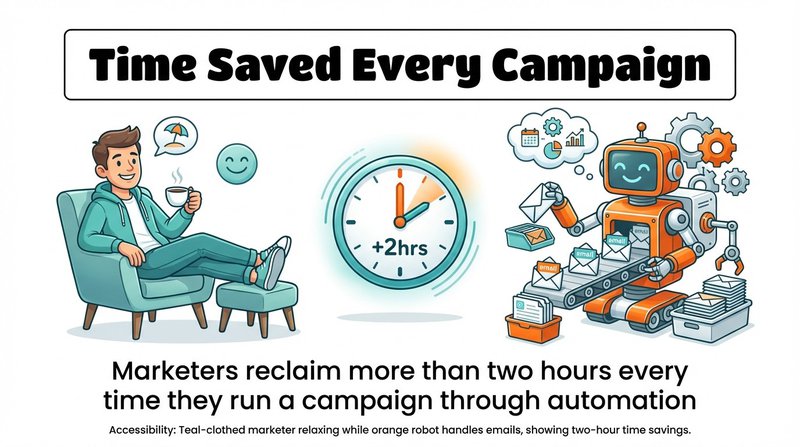
Automation saves marketers 2+ hours per campaign run
Set up a workflow once, and it runs indefinitely. New subscribers automatically enter your welcome sequence. Cart abandoners receive recovery emails without you lifting a finger. Birthday emails send themselves on the right date.
Personalization at Scale Without the Headaches
You can't manually personalize emails for thousands of subscribers. Workflow automation makes this possible by dynamically inserting relevant content based on subscriber data and behavior.
Segmentation becomes automatic within workflows. Subscribers self-select their path by clicking certain links, purchasing specific products, or engaging at different levels. The workflow branches accordingly, sending highly targeted content.
Brands that segment their audiences score 14.31% more open rates and 101% more click-through rates compared to non-segmented ones. Automated workflows make this segmentation effortless.
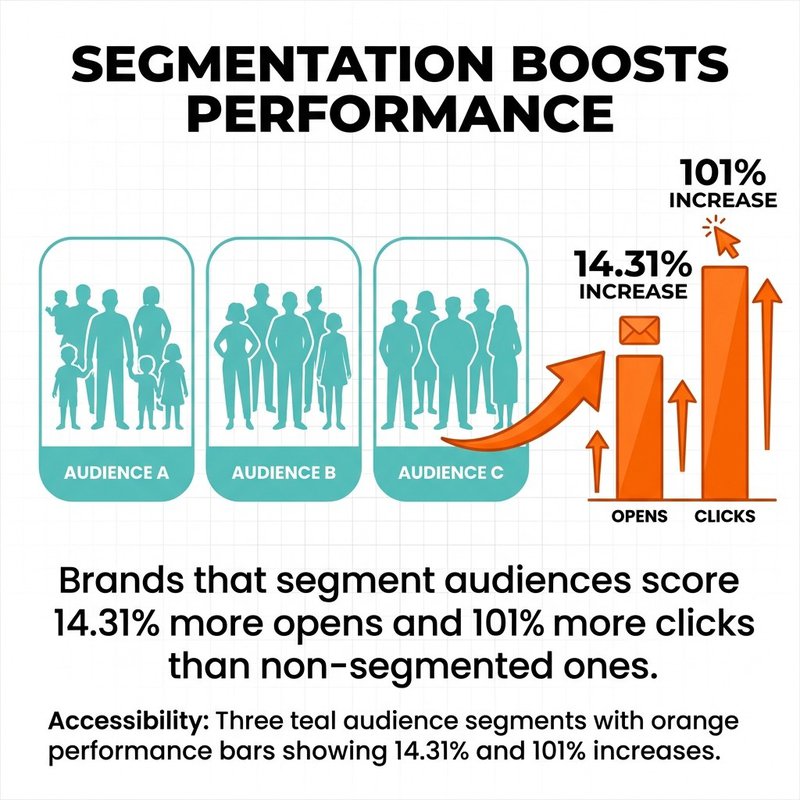
Segmentation lifts opens by 14.31% and clicks by 101%
Revenue Growth Through Better Timing and Relevance
The right message at the wrong time falls flat. Automation ensures perfect timing by triggering emails based on actual subscriber behavior rather than arbitrary calendar dates.
Behavioral triggers particularly drive results. Behavioral email triggers deliver 74% higher open rates and 152% better click-through rates than traditional batch emails. The performance gap is enormous.
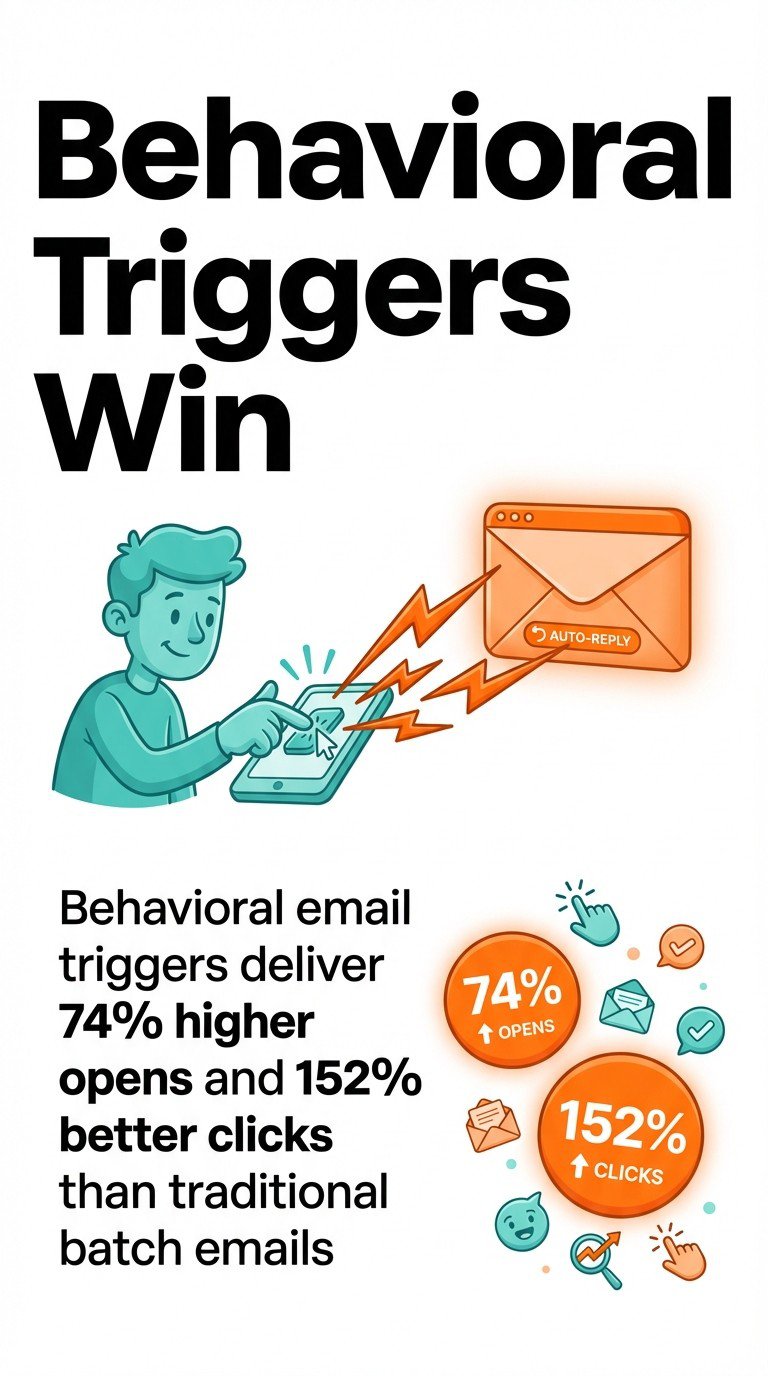
Behavioral triggers outperform batch emails: +74% opens, +152% clicks
Dynamic content takes this further. Dynamic email content sees up to 29% higher open rates and over 40% more clicks. Workflows enable this by automatically populating product recommendations, content suggestions, or offers based on subscriber preferences.
12 Essential Email Workflow Types You Should Implement
Different workflows serve different purposes in your customer journey. You'll want to implement a mix of these automation types to cover key touchpoints from first contact through long-term retention.
Each workflow type has specific triggers, optimal timing, and measurable goals. Start with the workflows most relevant to your business model, then expand as you see results.
Welcome Email Workflow
Your welcome workflow creates crucial first impressions. It triggers immediately when someone subscribes, delivering a warm greeting and setting expectations for future communications.
The best welcome sequences contain 3-5 emails over 7-10 days. Email one arrives instantly, thanking subscribers and delivering any promised resources. Email two shares your brand story or highlights popular content. Email three introduces products or services.
Set clear expectations in your first message. Tell subscribers how often you'll email and what content they'll receive. This transparency builds trust and reduces unsubscribes.
Include a special welcome offer to drive early conversions. New subscribers are your most engaged audience, make the most of their attention with an exclusive discount or bonus.
Abandoned Cart Recovery Workflow
Cart abandonment costs ecommerce businesses billions annually. Your recovery workflow brings shoppers back to complete their purchases.
Trigger the first email 1 hour after abandonment. Remind shoppers what they left behind with product images and descriptions. Make returning to their cart simple with a direct link.
Send the second email at 24 hours. Add urgency with inventory warnings or expiring discounts. Include customer reviews or testimonials to overcome purchase hesitations.
The third email at 72 hours makes a final appeal. Offer a small discount if the customer hasn't returned. Abandoned cart push messages deliver conversion rates above 10 percent.
Post-Purchase and Order Confirmation Workflow
The purchase isn't the end, it's the beginning of customer relationships. Your post-purchase workflow confirms orders, sets delivery expectations, and encourages additional engagement.
Send order confirmation immediately after purchase. Include all transaction details, estimated delivery dates, and tracking information. This email has the highest open rates of any message type.
Follow up when the product ships with tracking details. Set realistic delivery expectations and provide customer service contacts for questions.
After delivery, request reviews or feedback. Wait 7-14 days depending on your product type, giving customers time to experience what they bought. Include simple review links that minimize friction.
Lead Nurturing Workflow
Not every subscriber is ready to buy immediately. Lead nurturing workflows gradually build trust and demonstrate value until prospects are sales-ready.
Start by delivering the content or resource that prompted their signup. Then provide additional educational content that addresses common questions or challenges your solution solves.
Space nurturing emails 3-5 days apart. This frequency maintains engagement without overwhelming subscribers. Share case studies, how-to guides, comparison content, and success stories.
Include soft calls-to-action in early emails, asking subscribers to engage with content rather than making purchase decisions. Save direct sales pitches for later in the sequence after you've established value.
Re-engagement and Win-Back Workflow
Subscribers naturally disengage over time. Your win-back workflow identifies inactive contacts and attempts to reignite their interest before removing them from your list.
Define inactivity based on your typical send frequency. If you email weekly, consider subscribers inactive after 60-90 days without opens. For monthly senders, extend this to 120-180 days.
The first re-engagement email asks if subscribers still want to hear from you. Use attention-grabbing subject lines like "Are we breaking up?" or "We miss you!" Include preference center links so subscribers can adjust frequency or content types.
If they don't respond, send a final "last chance" email offering something valuable in exchange for re-engagement. Give them 30 days to respond, then remove non-responders to maintain list health.
Birthday and Anniversary Workflow
Date-based workflows celebrate milestones and special occasions. They feel personal and often drive higher engagement than standard promotional emails.
Collect birth dates during signup or through preference centers. Send birthday emails on the actual date or 3-5 days before so subscribers can use the offer.
Anniversary workflows celebrate signup dates, first purchase anniversaries, or account milestones. Acknowledge the relationship length and thank customers for their loyalty.
Include special offers or exclusive perks. Birthday discounts, free shipping, or bonus loyalty points make subscribers feel valued and drive conversions.
Product Education and Onboarding Workflow
Complex products or services need dedicated onboarding. This workflow helps new customers extract maximum value, reducing churn and support tickets.
Begin immediately after purchase or account creation. Email one covers the basics, getting customers up and running quickly with essential features.
Subsequent emails dive deeper into specific features or use cases. Space these 2-3 days apart, allowing time for customers to implement what they learn.
Include video tutorials, documentation links, and support resources. Make it easy for customers to get help when stuck.
Event Promotion and Follow-Up Workflow
Whether hosting webinars, conferences, or local events, automation handles promotion and follow-up efficiently.
The pre-event sequence starts 2-3 weeks before, announcing the event and highlighting key benefits. Send reminders at 1 week, 3 days, and 24 hours before the event.
Include calendar files in reminder emails so attendees can easily add the event to their schedules. Provide joining instructions and any required preparation.
Post-event emails thank attendees and share resources like recordings, slides, or supplementary materials. Survey attendees for feedback and promote future events.
Product Recommendation Workflow
Recommendation workflows suggest products based on browsing history, past purchases, or subscriber preferences. They drive additional revenue through relevant cross-sells and upsells.
Trigger these workflows when customers view specific products or product categories multiple times. Wait 24-48 hours after browsing, then send personalized recommendations.
Use dynamic content to populate product suggestions automatically. Show complementary items to past purchases or popular products in categories they've browsed.
Test different recommendation strategies. Some customers respond to "customers who bought X also bought Y" while others prefer "based on your recent browsing" approaches.
Customer Feedback and Survey Workflow
Systematic feedback collection improves products and identifies satisfaction issues before customers churn. Automated survey workflows make gathering insights effortless.
Trigger feedback requests at logical moments: 30 days after signup, post-purchase, after support interactions, or at renewal time. Timing affects response rates significantly.
Keep surveys short, ideally 3-5 questions maximum. Long surveys in automated workflows see poor completion rates. Ask one or two key questions well rather than overwhelming recipients.
Close the loop by following up with respondents. Thank them for feedback and explain how you'll use their input. If they report problems, trigger a support workflow immediately.
Seasonal and Holiday Campaign Workflow
Seasonal workflows promote time-sensitive offers around holidays, sales events, or industry-specific busy periods. They run annually with minimal updates needed.
Build these workflows 4-6 weeks before the season starts. Include teaser emails, early access for loyal customers, launch announcements, and last-chance reminders.
Segment seasonal workflows by customer type. VIP customers get early access, previous holiday shoppers receive personalized recommendations, and new subscribers see introductory offers.
Schedule these workflows to pause after the season ends. Review performance annually and update creative, offers, or timing based on results.
VIP and Loyalty Workflow
Your best customers deserve special treatment. VIP workflows recognize high-value customers and reward loyalty, increasing lifetime value and retention.
Define VIP status based on purchase frequency, total spend, or engagement levels. Automatically segment customers who meet these thresholds.
VIP emails offer exclusive perks: early access to sales, special discounts, free shipping, or dedicated support. Make these benefits feel truly exclusive.
Notify customers when they achieve VIP status. Explain the benefits they've unlocked and how to maintain their status. This transparency encourages continued engagement.
Content Drip Workflow
Drip campaigns deliver educational content over time, establishing authority and nurturing subscribers who aren't ready to buy. They work excellently for B2B companies and complex services.
Plan your content series around a specific theme or learning objective. Each email should build on previous messages, creating a cohesive educational journey.
Space drip emails 3-7 days apart depending on content depth. Give subscribers time to consume and implement what they learn before sending the next lesson.
Include engagement opportunities throughout. Ask questions, encourage replies, or provide exercises that help subscribers apply the concepts you're teaching.
Setting Up Your First Email Workflow in 8 Steps
You don't need technical expertise to build effective workflows. Most email platforms now offer visual builders that make automation accessible to non-technical marketers.
Start simple with one workflow type. Master the basics before building complex, multi-branched automations.
Step 1: Define Your Workflow Goal
Every workflow needs a clear objective. What specific action do you want subscribers to take? What problem does this workflow solve?
Good goals are specific and measurable. "Increase welcome email open rates to 50%" beats "engage new subscribers." "Recover 15% of abandoned carts" beats "reduce cart abandonment."
Your goal determines everything else: which triggers to use, what content to include, how many emails to send, and how to measure success.
Step 2: Choose the Right Trigger
Triggers determine when subscribers enter your workflow. The trigger you choose depends on your workflow type and goal.
Common trigger types include list subscription, form submission, purchase completion, cart abandonment, email link clicks, specific page visits, or date-based events like birthdays.
Test your triggers before activating workflows. Confirm they fire correctly when the specified action occurs. A misconfigured trigger means your workflow never runs.
Step 3: Map Out Your Email Sequence
Decide how many emails your workflow needs and what each message should accomplish. Most effective workflows contain 3-7 emails, though this varies by type.
Create a simple outline for each email. What's the main message? What action should recipients take? How does it connect to the next email?
Consider the customer journey. Early emails build awareness and trust. Middle emails provide value and address objections. Final emails include clear calls-to-action.
Step 4: Determine Timing Between Emails
Timing dramatically impacts workflow performance. Too frequent feels pushy, too spaced out loses momentum.
Welcome workflows send the first email immediately, then space subsequent messages 2-3 days apart. Abandoned cart workflows compress timing: 1 hour, 24 hours, and 72 hours.
Test different timing intervals. Your audience's preferences may differ from industry averages. Monitor unsubscribe rates when adjusting frequency.
Step 5: Write and Design Your Emails
Write conversational copy that matches your brand voice. Avoid overly salesy language in nurturing workflows. Focus on providing value before asking for conversions.
Keep designs simple and mobile-friendly. Most subscribers read emails on smartphones. Use single-column layouts, large buttons, and scannable text.
Personalize beyond first names. Reference the action that triggered the workflow, previous purchases, or subscriber preferences. This context makes emails feel relevant rather than generic.
Step 6: Set Up Segmentation and Branching
Advanced workflows branch based on subscriber behavior. If someone clicks a link, they receive one email. If they don't, they get a different follow-up.
Common branching criteria include email opens, link clicks, purchases, form submissions, or tag additions. Each branch creates a personalized path through your workflow.
Start with simple linear workflows before adding branches. Master the basics, then layer in complexity as you understand how subscribers move through sequences.
Step 7: Configure Workflow Exit Conditions
Define when subscribers should leave the workflow. Common exit conditions include completing a purchase, unsubscribing, reaching the end of the sequence, or meeting specific criteria.
Prevent subscribers from entering multiple conflicting workflows simultaneously. If someone abandons a cart then makes a purchase, remove them from the cart recovery workflow.
Set suppression rules for subscribers who shouldn't receive certain workflows. Don't send product education emails to churned customers or VIP offers to recent purchases.
Step 8: Test Before Launch
Never activate a workflow without testing. Send yourself through the entire sequence, checking every email, link, and trigger.
Test on multiple devices and email clients. Verify formatting looks correct on mobile, desktop, Gmail, Outlook, and Apple Mail.
Check that personalization tokens populate correctly. Broken merge tags create awkward "Hi [FIRST_NAME]" moments that damage credibility.
Workflow Automation Best Practices for Maximum Impact
Building workflows is one thing. Building workflows that consistently perform well requires following proven best practices developed through years of testing and optimization.
These practices apply across all workflow types and email platforms. Implement them systematically to improve results.
Start with Clean, Verified Email Lists
Automated workflows send hundreds or thousands of emails without human oversight. Invalid addresses, typos, and fake emails damage your sender reputation when hit repeatedly by automated campaigns.
Clean your list before building workflows. Remove obvious invalids, fix common typos, and verify deliverability for questionable addresses.
Better yet, automate list cleaning. Tools like mailfloss integrate with platforms including Mailchimp, HubSpot, and ActiveCampaign to continuously verify addresses and fix typos automatically.

Clean lists ensure your carefully crafted workflows actually reach inboxes instead of bouncing or landing in spam folders.
Segment Ruthlessly for Relevance
Generic workflows underperform. The more targeted your automation, the better it converts.
Segment by demographics, behavior, purchase history, engagement level, and preferences. Send different welcome sequences to B2B versus B2C subscribers. Tailor product recommendations based on browsing history.
Use dynamic content to personalize within workflows. Show different product images, offers, or content blocks based on subscriber attributes without building entirely separate workflows.
Optimize Send Times for Your Audience
While workflows trigger based on actions, you can control what time of day emails send. A workflow triggered at 2 AM can delay sending until 9 AM.
Test different send times. B2B emails often perform better during business hours Tuesday through Thursday. B2C emails may work better in evenings or weekends.
Consider time zones for national or international audiences. Schedule sends based on recipient location rather than your company headquarters.
Monitor Performance Metrics Continuously
Set up dashboard views for your key workflows. Track open rates, click-through rates, conversion rates, and revenue generated.
Compare workflow performance against broadcast emails. Automated messages should significantly outperform one-off campaigns. If they don't, investigate why.
Watch for declining performance over time. Workflows that worked well six months ago may need refreshing as subscriber preferences evolve or creative fatigues.
Test One Variable at a Time
A/B test subject lines, email copy, send timing, and offers within workflows. But test systematically, changing one element at a time.
Run tests for statistical significance. Small sample sizes produce unreliable results. Wait until at least 1,000 subscribers have gone through each variation.
Document what you test and learn. Build a testing calendar so you're constantly improving workflows based on actual data rather than assumptions.
Update Workflows Regularly
Workflows aren't set-it-and-forget-it. Products change, offers expire, and messaging grows stale.
Review workflows quarterly. Update screenshots, fix broken links, refresh copy, and adjust offers. Remove outdated references or seasonal content that no longer applies.
Keep designs current with your brand guidelines. When you update your logo or color scheme, update workflow emails to match.
Respect Subscriber Preferences and Fatigue
Just because automation can send emails doesn't mean it should. Set frequency caps to prevent subscribers from receiving too many automated messages simultaneously.
Provide preference centers where subscribers control which workflows they receive. Some want every update, others prefer only essential transactional emails.
Monitor unsubscribe rates by workflow. If one automation drives significantly more unsubscribes than others, investigate and adjust.
Integrate Workflows Across Channels
Email workflows work better when coordinated with other marketing channels. Sync your email automation with SMS, push notifications, and social media.
Use email engagement to inform other channels. Subscribers who open every email might appreciate SMS updates. Those who rarely engage might respond better to social retargeting.
Create consistent experiences across touchpoints. If someone receives an abandoned cart email, show them retargeting ads for the same products.
Choosing the Right Email Automation Platform
Your platform determines what's possible with workflow automation. Different tools offer varying levels of sophistication, from basic drip sequences to complex multi-channel automation.
Consider your current needs and future growth. Starting simple with room to expand often beats over-investing in enterprise features you won't use for years.
Essential Features Every Platform Should Offer
Look for visual workflow builders that let you design automations without coding. Drag-and-drop interfaces make creating and modifying workflows accessible to non-technical team members.
Trigger variety matters. Your platform should support behavioral triggers, date-based triggers, and API triggers for custom integrations.
Segmentation capabilities determine personalization depth. Advanced platforms let you segment on unlimited criteria and use dynamic content extensively.
Popular Platforms for Different Business Sizes
Small businesses and startups often begin with Mailchimp or MailerLite. Both offer solid automation features at accessible price points and integrate with common ecommerce platforms.

Growing businesses frequently choose ActiveCampaign, Klaviyo, or Drip. These platforms balance sophistication with usability, offering advanced segmentation and behavioral automation.

Enterprise organizations typically need HubSpot, Salesforce Marketing Cloud, or Braze. These solutions provide multi-channel automation, advanced analytics, and extensive integration capabilities.
Integration Capabilities to Prioritize
Your email platform should connect seamlessly with your existing technology stack. Essential integrations include your CRM, ecommerce platform, analytics tools, and customer support software.
API access enables custom integrations when pre-built connections don't exist. Evaluate API documentation quality and developer resources before committing to a platform.
Webhook support allows real-time triggers based on events in other systems. This enables sophisticated cross-platform workflows that respond instantly to customer actions.
Measuring Email Workflow Success
You can't improve what you don't measure. Tracking the right metrics helps you understand which workflows perform well and where optimization opportunities exist.
Different workflow types require different success metrics. Welcome sequences focus on engagement, abandoned cart workflows on conversion, and re-engagement campaigns on reactivation rates.
Key Performance Indicators by Workflow Type
Welcome workflows should achieve open rates above 50% and click-through rates above 15%. These are your most engaged subscribers, metrics should reflect that enthusiasm.
Abandoned cart workflows measure recovery rate, the percentage of abandoned carts converted to purchases. Anything above 10% indicates solid performance given these are already-interested shoppers.
Lead nurturing tracks progression through the sales funnel. Monitor how many subscribers advance from awareness to consideration to decision stages based on engagement patterns.
Revenue Attribution and ROI Tracking
Assign revenue properly to automated workflows. When someone makes a purchase after receiving three abandoned cart emails, attribute that sale to the workflow.
Calculate ROI by comparing workflow-generated revenue against the cost of your email platform, list maintenance, and content creation time.
Track customer lifetime value by acquisition channel. Subscribers who enter through automated workflows often show different long-term value than those from broadcast campaigns.
Engagement Metrics That Predict Success
Open rates indicate subject line effectiveness and sender reputation health. Declining open rates signal deliverability issues or creative fatigue.
Click-through rates measure content relevance and call-to-action effectiveness. Low clicks despite high opens mean your message isn't compelling enough.
Conversion rates show ultimate workflow effectiveness. You can have great opens and clicks, but if subscribers don't complete desired actions, the workflow needs revision.
Common Workflow Automation Mistakes to Avoid
Even experienced marketers make automation mistakes that undermine performance. Recognizing these pitfalls helps you avoid them in your implementations.
Most mistakes stem from launching workflows too quickly without adequate testing or trying to automate everything immediately instead of starting focused.
Over-Complicating Your First Workflows
New automation users often build overly complex workflows with numerous branches and conditions. These become difficult to manage and troubleshoot.
Start with simple linear sequences. Add branching logic only after you understand how subscribers move through basic workflows and have data to inform which branches add value.
Complex workflows also take longer to build and test. You'll get results faster with three simple workflows than one elaborate automation.
Neglecting Mobile Optimization
More than half of emails get opened on mobile devices. Workflows designed only for desktop create frustrating experiences for most subscribers.
Test every workflow email on actual mobile devices. Emulators help but don't replace testing on real smartphones with various screen sizes.
Simplify mobile designs. Use single-column layouts, large tap targets for buttons, and concise copy that works on small screens.
Failing to Set Proper Exit Conditions
Subscribers stuck in workflows they should have exited receive irrelevant emails that damage relationships and increase unsubscribes.
Someone who purchases shouldn't keep receiving abandoned cart emails. Churned customers shouldn't get onboarding sequences. Unsubscribed contacts must exit all workflows immediately.
Review exit conditions for every workflow. Make sure subscribers leave when they complete the desired action or no longer fit the target criteria.
Ignoring Deliverability Fundamentals
Automated workflows amplify deliverability problems. A manual campaign with deliverability issues affects one send. An automated workflow with problems damages your sender reputation continuously.
Maintain pristine email list hygiene. Invalid addresses, spam traps, and typos compound when hit repeatedly by automated workflows.
Monitor spam complaint rates closely. High complaint rates trigger automatic filtering by email providers, meaning your carefully crafted workflows never reach inboxes.
Setting and Forgetting Workflows
Workflows need ongoing attention. Products change, offers expire, links break, and messaging grows stale.
Schedule quarterly workflow reviews. Check that all content remains current, links work correctly, and offers still apply.
Monitor performance trends over time. A workflow that performed well initially may decline as subscriber preferences evolve or creative fatigues.
Advanced Workflow Strategies for Scaling
Once you've mastered basic workflows, these advanced strategies help scale your automation efforts while maintaining personalization and relevance.
Advanced doesn't mean complex for complexity's sake. These strategies solve specific scaling challenges as your subscriber base grows.
Predictive Send Time Optimization
Instead of sending workflow emails at fixed times, predictive send uses individual subscriber behavior to determine optimal delivery times.
The system analyzes when each subscriber typically opens emails, then schedules workflow messages for those high-engagement windows.
Platforms like Klaviyo and Salesforce Marketing Cloud offer built-in send time optimization that works across automated workflows.

Cross-Channel Workflow Orchestration
Sophisticated automation coordinates email with SMS, push notifications, and in-app messages based on subscriber preferences and channel engagement.
Start with email, then add secondary channels based on response. If someone doesn't open three emails, follow up via SMS. If they ignore SMS, try push notifications.
Respect channel preferences. Some subscribers prefer email exclusively while others want multi-channel updates. Use preference centers to capture these choices.
AI-Powered Content Personalization
Machine learning analyzes subscriber behavior to predict which products, content, or offers will resonate best with each individual.
These systems test thousands of combinations automatically, learning from every interaction to improve future recommendations.
Implementation requires significant subscriber volume. AI personalization works best with at least 10,000 active subscribers providing enough data for meaningful pattern recognition.
Workflow Performance Benchmarking
Track how your workflows perform against industry standards and your own historical data. This context helps identify which automations need optimization.
Create dashboard views showing key metrics for all active workflows side by side. Quickly spot underperformers that deserve attention.
Set up automated alerts when workflow metrics fall below thresholds. Get notified immediately if open rates drop or unsubscribe rates spike.
Building Your Email Workflow Strategy
You now understand what email workflow automation is, why it matters, and how to implement specific workflow types. The final piece is developing a cohesive strategy that aligns automation with business goals.
Start by mapping your customer journey. Identify every touchpoint where automated communication adds value. Welcome moments, purchase completions, support interactions, renewal dates, each represents workflow opportunities.
Prioritize workflows based on impact and effort. Quick wins like welcome sequences deliver immediate value with minimal setup. More complex lead nurturing workflows require greater investment but drive long-term revenue.
Build incrementally rather than trying to automate everything simultaneously. Launch one workflow, optimize it based on performance data, then add the next. This measured approach prevents overwhelm and ensures quality.
The market momentum supports your automation efforts. The email marketing software market specifically is estimated to reach $3,666.77 million by 2032, growing at a compound annual growth rate of 11.8% from 2025 to 2032. This growth reflects increasing business investment in automation tools and capabilities.
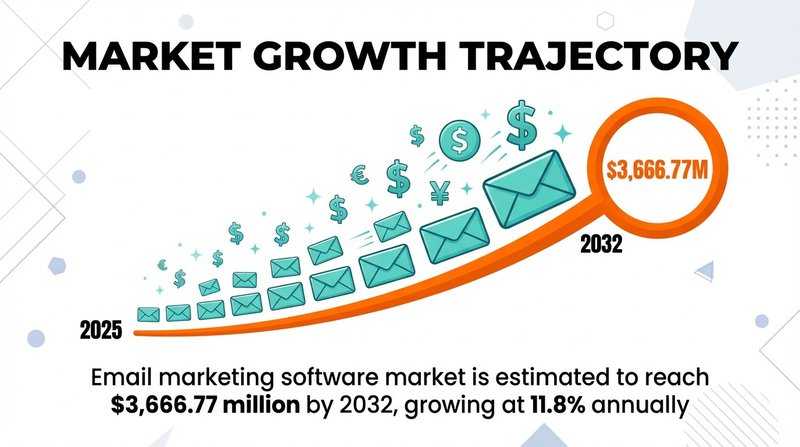
Email marketing software market to hit $3.67B by 2032 at 11.8% CAGR
Your workflows should evolve with your business. As you add products, enter new markets, or shift business models, your automation strategy adapts accordingly. The workflows you build today form the foundation for increasingly sophisticated automation tomorrow.
Focus on solving real problems with your workflows. Automation for automation's sake wastes time and annoys subscribers. Each workflow should address a specific challenge or opportunity in your customer journey.
And remember, email list quality directly impacts workflow success. Tools that keep your lists clean and deliverable, like automated list management solutions, ensure your carefully designed workflows actually reach subscriber inboxes.
Start building your first workflow today. Pick one type that addresses your biggest marketing challenge. Set up the triggers, write the emails, test thoroughly, and launch. You'll see results quickly and gain confidence to expand your automation efforts from there.

No comments:
Post a Comment