Dynamic email content automatically adapts your email messages based on individual subscriber data, delivering personalized experiences at scale without manually creating separate campaigns for each person. It uses real-time information like location, browsing history, purchase behavior, and preferences to display unique text, images, product recommendations, and calls-to-action to each recipient when they open your email.
This means one email campaign can show different content to different subscribers based on who they are and what they need right now.
The impact? Emails featuring dynamic content see open rates up to 29% higher and generate over 40% more clicks compared to static emails. Plus, email remains the highest-ROI marketing channel, delivering a median return of $36 for every $1 spent.
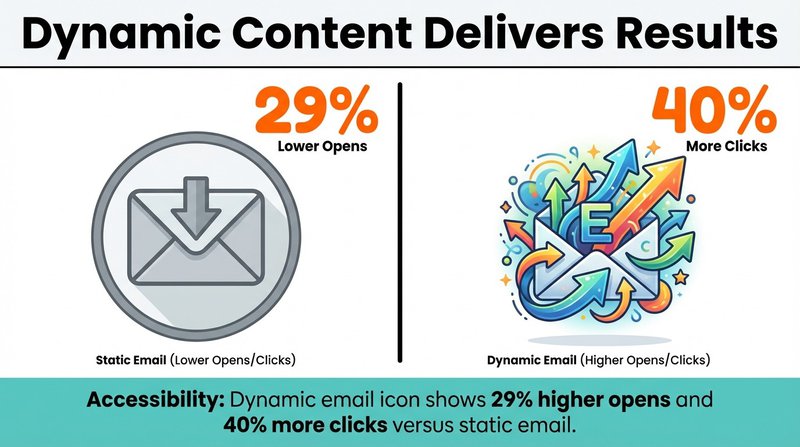
Emails featuring dynamic content see open rates up to 29% higher and 40%+ more clicks.
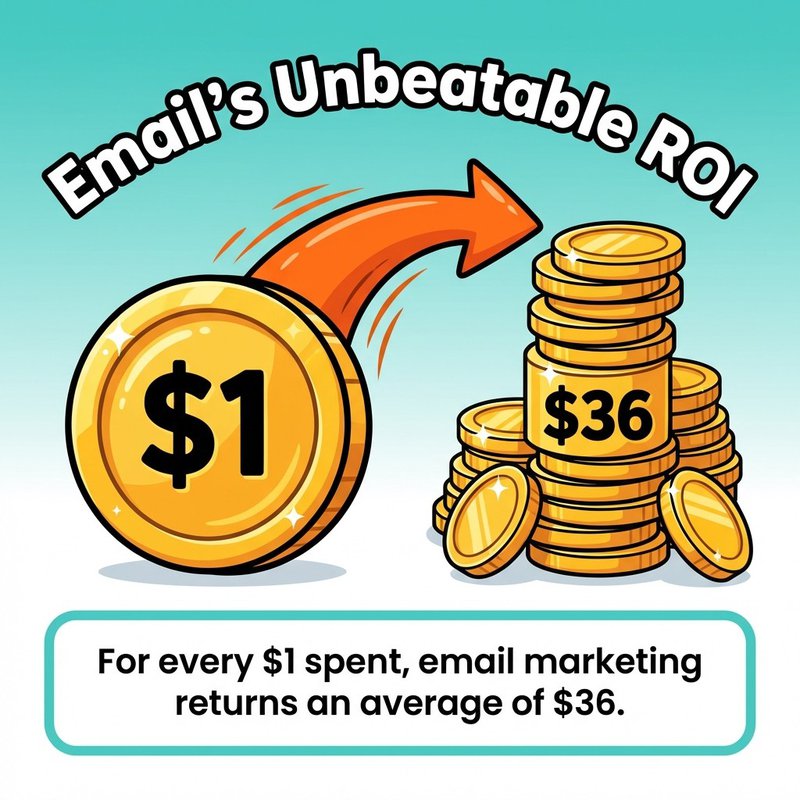
Email delivers a median ROI of $36 for every $1 spent.
Here's what makes this so powerful: you're not just adding a subscriber's first name to the subject line. You're creating entirely different email experiences based on customer data, all from a single campaign send.
In this guide, we'll show you exactly how dynamic email content works, the types of personalization you can implement, and step-by-step instructions for setting up your first dynamic campaign. You'll see real examples across different industries and learn which email marketing platforms make implementation easiest.
What Is Dynamic Email Content?
Dynamic email content changes based on who's viewing it. Unlike static emails that show identical content to every subscriber, dynamic emails pull from your customer data to display personalized elements in real time.
Think of it like a website that shows different content when you're logged in. Your email does the same thing, but the personalization happens when the subscriber opens their message.
The key difference from basic personalization? Basic personalization inserts a subscriber's name or company into predetermined spots. Dynamic content actually changes entire sections, images, product grids, and offers based on complex rules you set up.
How Dynamic Content Differs from Static Emails
Static emails contain fixed content. Every subscriber sees the exact same message, images, and calls-to-action regardless of their interests or behavior.
Dynamic emails contain content blocks that adapt. These blocks can display different versions based on subscriber segmentation rules, behavioral triggers, and real-time data.
Here's a practical example: An ecommerce store sends a weekly newsletter. The static version shows the same five featured products to 50,000 subscribers. The dynamic version shows different products based on each subscriber's browsing history, past purchases, and preferences, all within the same campaign send.
The Role of Personalization in Dynamic Emails
Personalization powers dynamic content. You're using subscriber information and customer data to determine what each person sees.
This goes way beyond "Hi [First Name]." You're leveraging data points like purchase history, geographic location, email engagement patterns, website behavior, and demographic information.
The more quality data you collect, the more personalized your dynamic content becomes. That's why clean email lists matter so much for effective personalization strategies.
How Dynamic Email Content Works Technically
Dynamic email content relies on conditional logic and merge tags within your email service provider. When a subscriber opens your email, the system checks their profile data against your rules and displays the matching content version.
This happens in milliseconds, creating a seamless experience for your subscribers.
Data Collection and Integration
Everything starts with data. Your email marketing platform needs access to subscriber information to make personalization decisions.
This data comes from multiple sources: signup forms, purchase history, website tracking pixels, CRM integrations, and behavioral triggers from previous email campaigns.
Tools like Mailchimp, Klaviyo, and HubSpot automatically sync this information into subscriber profiles. The integration happens once during setup, then updates continuously as subscribers interact with your brand.
Content Blocks and Conditional Display Rules
Your email template contains multiple content blocks. Each block has display rules that determine which subscribers see it.
Here's how it works: You create variations of a content block (like three different hero images). Then you set conditions: "Show Image A if subscriber location = New York, Show Image B if location = California, Show Image C for all other locations."
When someone opens your email, the system evaluates their profile against all your rules and assembles the personalized version instantly.
Most email service providers offer visual editors for setting these rules without coding. You're essentially creating "if-then" statements through dropdown menus.
Real-Time vs. Send-Time Personalization
Send-time personalization locks in content when you hit send. The email checks subscriber data at that moment and personalizes the message before delivery.
Real-time personalization happens when the subscriber opens the email. The content adapts based on their most current data, even if that changed after you sent the campaign.
Real-time is more powerful but requires your email platform to support live content rendering. This works great for time-sensitive offers, inventory updates, or location-based content that needs absolute accuracy.
Benefits of Using Dynamic Email Content
Dynamic email content transforms your email marketing performance across every metric that matters. Segmented campaigns deliver up to 30% more opens and 50% more clicks compared with non-segmented bulk emails.
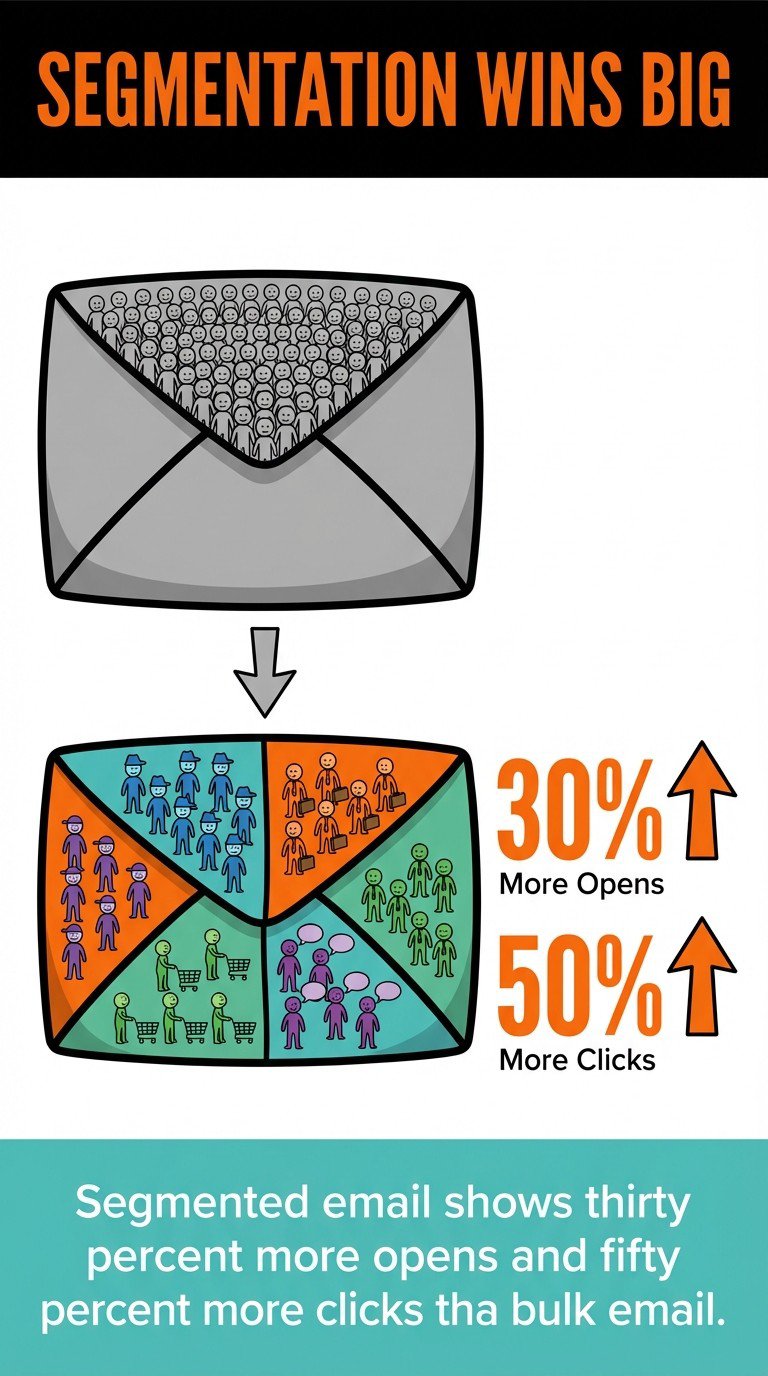
Segmented campaigns: up to 30% more opens and 50% more clicks.
But the benefits go deeper than just better open rates. You're creating better customer experiences while making your email marketing more efficient.
Increased Engagement and Click-Through Rates
Subscribers engage more with content that's relevant to them. When your email shows products they've browsed, recommendations based on their purchase history, or offers for their specific location, click-through rates jump significantly.
The reason? You're reducing decision fatigue. Instead of scanning through irrelevant options, subscribers see exactly what interests them right away.
This targeted approach respects their time and attention, which builds trust with your target audience over time.
Higher Conversion Rates and Revenue
More relevant content drives more conversions. Abandoned cart emails generate up to 30x more revenue than standard campaigns when properly implemented, averaging $3.07 per recipient compared with $0.10 from generic blasts.
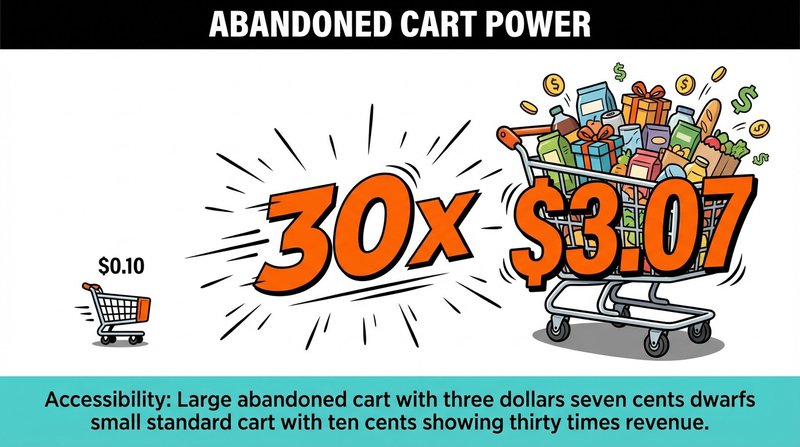
Abandoned cart emails can drive up to 30x more revenue than standard sends.
The connection is straightforward: personalized product recommendations match subscriber interests better than generic suggestions. Location-based offers arrive when subscribers can actually use them. Behavioral triggers send messages at moments when subscribers are ready to buy.
Each of these improvements compounds, creating significantly better conversion rates across your email campaigns.
Improved Customer Experience and Satisfaction
Nobody likes receiving irrelevant emails. Dynamic content solves this by ensuring every subscriber gets messages that match their needs and interests.
This personalization creates a better overall experience with your brand. Subscribers feel understood rather than spammed with generic broadcasts.
The result? Lower unsubscribe rates, better sender reputation, and stronger customer relationships that last.
Efficiency in Campaign Management
Here's the efficiency win: you create one email campaign instead of dozens of segmented versions. Dynamic content handles the personalization automatically based on your rules.
This saves enormous time in campaign creation, testing, and management. You set up your content blocks and segmentation rules once, then reuse them across multiple campaigns.
Your email marketing becomes more scalable without requiring more team resources or manual effort for each send.
Types of Dynamic Email Content
Dynamic email content comes in several forms. Each type serves different personalization goals and requires varying levels of technical implementation.
Let's break down the most effective options for your email campaigns.
Dynamic Text and Copy
Text personalization goes beyond first names. You can dynamically change headlines, body copy, descriptions, and even entire paragraphs based on subscriber data.
A B2B company might show different value propositions to enterprise contacts versus small business subscribers. An ecommerce brand could highlight different product benefits based on past purchase categories.
The key is writing multiple versions of your copy, then setting rules for which subscribers see each variation.
Dynamic Images and Visual Content
Images create immediate visual impact. Dynamic image swapping lets you show different hero images, product photos, or banner graphics to different segments.
Weather-based retailers show winter gear to subscribers in cold climates and summer items to warm-weather locations. Travel companies display destination images based on past booking history or browsing behavior.
Most email platforms support this through conditional image blocks that swap based on your segmentation criteria.
Personalized Product Recommendations
Product recommendation engines are among the most powerful dynamic content types. They automatically suggest products based on browsing history, purchase patterns, and similar customer behaviors.
These work similarly to "Customers who bought this also bought" sections on ecommerce sites. Your email shows different product grids to each subscriber based on their unique profile and behavior.
Platforms like Klaviyo and Braze offer built-in recommendation algorithms that handle this automatically once configured.
Dynamic Calls-to-Action
Your CTA button can change based on where subscribers are in their customer journey. New subscribers might see "Shop Now" while loyal customers see "View Your Rewards."
The button destination URL can also adapt. Clicking might take different subscribers to different landing pages, product categories, or account dashboards based on their profile.
This ensures every subscriber gets the most relevant next step for their specific situation.
Location-Based Content
Geographic personalization shows different content based on subscriber location. This includes store locations, regional offers, local event information, and weather-triggered product suggestions.
Location-relevant personalization can boost conversions by up to 27% by making offers immediately actionable for subscribers.
A restaurant chain shows nearby locations with click-to-directions. A clothing retailer promotes region-appropriate seasonal items. The location data comes from IP addresses, stated preferences, or purchase history.
Behavioral Trigger Content
Behavioral content responds to specific subscriber actions. Abandoned cart emails, browse abandonment messages, and post-purchase follow-ups all use behavioral triggers to send timely, relevant content.
These emails feel like personalized recommendations because they directly address what the subscriber just did. The timing and relevance combine to create your highest-performing email campaigns.
Most modern email platforms include automation builders that make behavioral triggers straightforward to set up without technical skills.
How to Implement Dynamic Email Content
Setting up dynamic email content requires planning, the right tools, and systematic execution. Here's your step-by-step roadmap from data collection through campaign launch.
Step 1: Choose Your Email Marketing Platform
Your email service provider needs to support dynamic content features. Not all platforms offer the same capabilities or ease of use.
Look for platforms that include conditional content blocks, merge tag systems, behavioral automation, and integration with your existing tools. Popular options include Mailchimp, Klaviyo, HubSpot, ActiveCampaign, and Braze.
Your choice depends on your budget, technical requirements, and existing marketing stack. Most platforms offer free trials so you can test their dynamic content builders before committing.
Step 2: Collect and Organize Subscriber Data
Dynamic content is only as good as your data. Start by auditing what subscriber information you currently collect and identify gaps.
Essential data points include email address, name, location, purchase history, browsing behavior, email engagement patterns, and stated preferences. Set up tracking on your website to capture behavioral data automatically.
Make sure your data stays clean. Invalid email addresses create deliverability problems that hurt your sender reputation. Tools like mailfloss integrate with your email platform to automatically remove invalid addresses and fix common typos, keeping your list healthy for better personalization results.

Step 3: Segment Your Subscriber List
Segmentation divides your subscribers into groups based on shared characteristics. These segments determine which dynamic content variations each subscriber sees.
Start with basic segments like geographic location, purchase history categories, and engagement level. As you get more sophisticated, create segments based on lifecycle stage, product interests, and behavioral patterns.
Most email platforms offer visual segment builders. You create rules like "Location = California AND Last Purchase > 30 days ago" to define each segment automatically.
Step 4: Create Content Variations
Now you're ready to build the actual content. For each dynamic element, create multiple versions for different segments.
If you're personalizing your hero image, design three to five image options for your main segments. For product recommendations, set up your recommendation logic and product feeds. For dynamic copy, write alternative headlines and descriptions.
Keep track of which variations go to which segments. A simple spreadsheet helps you stay organized as your dynamic content strategy grows more complex.
Step 5: Set Up Conditional Logic Rules
This is where you connect your content variations to your segments. Inside your email platform's editor, you'll create conditional statements for each dynamic block.
The interface typically looks like: "IF subscriber segment = New Customers THEN show Welcome Offer ELSE show Standard Promotion." Most platforms use visual rule builders rather than code.
Test your logic carefully. Send preview emails to test accounts with different segment attributes to verify each variation displays correctly.
Step 6: Test Your Dynamic Campaigns
Testing is critical before sending to your full list. Create test subscriber profiles representing each major segment and send test campaigns to yourself.
Check that images load properly, links point to correct destinations, copy displays without formatting issues, and personalization tokens populate correctly. Look for any content that appears broken or irrelevant.
Many platforms offer preview modes that show how your email looks for different segments without actually sending test emails.
Step 7: Monitor Performance and Optimize
After launching your dynamic campaign, track performance metrics by segment. Compare open rates, click-through rates, and conversion rates across your different content variations.
This data shows which personalization approaches work best for your subscribers. Double down on high-performing variations and refine or replace underperforming content.
Dynamic content isn't set-and-forget. Regular optimization based on actual performance data continuously improves your results over time.
Dynamic Email Content Examples by Industry
Different industries use dynamic content in unique ways. These examples show practical applications across common business types.
Ecommerce and Retail
Online retailers use dynamic product recommendations heavily. A fashion brand shows different clothing categories based on past purchases: dresses to customers who bought dresses, accessories to accessory buyers.
Abandoned cart emails display the exact products left in each subscriber's cart with current pricing and stock status. This real-time accuracy drives recovery conversions.
Seasonal retailers show different inventory based on subscriber location and local weather. Sunglasses get promoted to warm climates while rain gear goes to areas with precipitation.
Travel and Hospitality
Travel companies personalize destination recommendations based on browsing history and past bookings. If you searched Caribbean resorts, future emails highlight similar tropical destinations.
Hotels send location-based offers showing properties near the subscriber's city or in destinations they've shown interest in. Dynamic maps display the nearest locations automatically.
Airlines use dynamic content to show flight deals from the subscriber's home airport to destinations matching their search history and booking patterns.
B2B and SaaS
Software companies adjust messaging based on company size and industry. Enterprise contacts see case studies from similar large companies, while small business subscribers get different success stories.
Feature highlights change based on which product areas the subscriber has explored. If they viewed reporting features on your website, your email emphasizes analytics capabilities.
Onboarding email sequences adapt based on user behavior inside the product. Active users get advanced tips while inactive users receive re-engagement content.
Media and Publishing
News organizations send personalized digests featuring article categories each subscriber engages with most. Sports fans see sports headlines, business readers get business news.
Content recommendation engines suggest articles similar to what subscribers previously read or clicked. This keeps engagement high by surfacing relevant topics automatically.
Publishers adjust content depth based on subscriber type. Casual readers get article summaries while premium subscribers see full content with exclusive additions.
Financial Services
Banks personalize based on account types and financial products each customer uses. Mortgage holders see home equity offers while checking account customers see savings promotions.
Investment firms adjust content complexity based on investor experience level and portfolio value. Sophisticated investors get detailed market analysis while beginners receive educational content.
Insurance companies show relevant policy types based on life stage indicators like age, location, and family status pulled from customer data.
Best Email Marketing Platforms for Dynamic Content
Mailchimp
Mailchimp offers conditional content blocks in their drag-and-drop editor. You can show or hide sections based on segment membership, making basic dynamic content accessible to beginners.
Their merge tags support personalization of text elements. Product recommendation features work well for ecommerce through Shopify and WooCommerce integrations.
Best for small to medium businesses wanting user-friendly dynamic content without complex setup.

Klaviyo
Klaviyo excels at ecommerce personalization with sophisticated product recommendation algorithms built in. Their predictive analytics help determine what to show each subscriber.
Dynamic content blocks are highly flexible with advanced conditional logic options. Behavioral triggers integrate seamlessly with ecommerce platforms for abandoned cart and browse abandonment campaigns.
Best for online retailers and ecommerce brands prioritizing revenue from email marketing.

HubSpot
HubSpot provides smart content features that adapt based on lifecycle stage, list membership, and custom contact properties. Their CRM integration makes personalization based on sales and customer data straightforward.
The platform supports both simple and complex personalization scenarios through their visual rule builder. A/B testing integrates with dynamic content for optimization.
Best for B2B companies with complex customer journeys and sales processes.
ActiveCampaign
ActiveCampaign combines powerful automation with conditional content blocks. Their visual automation builder makes setting up behavioral triggers intuitive.
Dynamic content works across email, landing pages, and on-site messaging for consistent personalization. Advanced segmentation capabilities support detailed targeting.
Best for businesses wanting marketing automation and dynamic content in one platform at reasonable pricing.

Braze
Braze is an enterprise-level platform with sophisticated real-time personalization capabilities. Their Liquid templating language allows highly customized dynamic content logic.
Cross-channel orchestration means your dynamic content strategy extends beyond email to push notifications, in-app messages, and SMS. AI-powered optimization helps determine best content for each user.
Best for large enterprises with technical resources and complex multi-channel personalization needs.

Common Mistakes to Avoid with Dynamic Email Content
Over-Personalization That Feels Creepy
There's a line between helpful and invasive. Referencing too many specific behaviors or using data subscribers don't remember sharing feels intrusive.
Stick to personalization that provides obvious value. Recommending products based on browsing feels helpful. Mentioning exactly when they visited your site feels creepy.
When in doubt, ask yourself: "Would I find this personalization useful or unsettling?" Trust that instinct.
Poor Data Quality Causing Errors
Dynamic content depends entirely on accurate data. If subscriber information is wrong, outdated, or incomplete, your personalization fails or displays incorrectly.
Empty fields break merge tags, showing ugly [FIRST_NAME] placeholders instead of names. Wrong location data sends irrelevant local offers. Incorrect purchase history suggests products subscribers already own.
Maintain clean data through regular list hygiene. Verify email addresses stay valid and remove bad data before it damages your personalization efforts.
Too Many Variations Creating Complexity
Starting with 20 different content variations across 15 segments creates unmanageable complexity. You can't effectively test, optimize, or maintain that many moving parts.
Begin with three to five key segments and matching content variations. Prove the concept works, then gradually expand as you build experience and systems.
Simple dynamic content that works beats complex strategies that overwhelm your team and break during execution.
Neglecting Mobile Optimization
Dynamic content must work perfectly on mobile devices where most subscribers read email. Images that look great on desktop might not load properly on mobile.
Test every content variation on multiple devices and email clients. Ensure dynamic images resize appropriately and conditional text doesn't create formatting issues on small screens.
Mobile optimization isn't optional. It's where your dynamic content will be judged by the majority of your target audience.
Forgetting About Fallback Content
What happens when a subscriber doesn't match any of your conditional rules? Without fallback content, they see nothing or broken template elements.
Always configure default content that displays when none of your specific conditions are met. This ensures every subscriber gets a complete, functional email regardless of their data profile.
Think of fallbacks as your safety net. They prevent embarrassing gaps in your emails when personalization logic doesn't work as expected.
Measuring Success: Key Metrics for Dynamic Email Campaigns
Tracking the right metrics shows whether your dynamic content delivers real business results. Focus on these key performance indicators.
Open Rates by Segment
Compare open rates across your different segments to see which audiences engage most with personalized content. Significant differences indicate opportunities to refine your segmentation or content strategy.
Track open rate trends over time as you implement more dynamic content. Improvements validate your personalization approach.
Click-Through Rates and Engagement
Click-through rate is your primary engagement metric. It shows whether subscribers find your dynamic content relevant enough to take action.
Break down CTR by content variation to identify which personalization approaches drive the most clicks. Test different dynamic elements against static controls to measure specific impact.
Conversion Rate and Revenue per Email
Ultimately, dynamic content should drive business results. Track conversion rates and revenue generated per email sent, comparing dynamic campaigns against your static email benchmarks.
Calculate revenue per subscriber to see if personalization improves monetization of your email list. This metric directly connects your dynamic content efforts to bottom-line impact.
List Growth and Retention Rates
Better personalization should reduce unsubscribe rates and improve subscriber satisfaction. Monitor your unsubscribe rate and list churn as you implement dynamic content.
Survey subscribers occasionally to gauge satisfaction with email relevance. Qualitative feedback complements your quantitative metrics.
Testing and Optimization Metrics
Run A/B tests comparing different dynamic content variations. Test one element at a time: images versus copy, different product recommendations, or various segmentation approaches.
Document your test results to build institutional knowledge about what personalization works best for your subscribers. These insights compound over time into a sophisticated understanding of your audience.
Advanced Dynamic Content Strategies
AI-Powered Content Optimization
Artificial intelligence can optimize which content variations to show each subscriber based on predicted engagement likelihood. For organizations using AI-driven email strategies specifically, revenue increases average 41% compared to non-AI programs in the same sector.
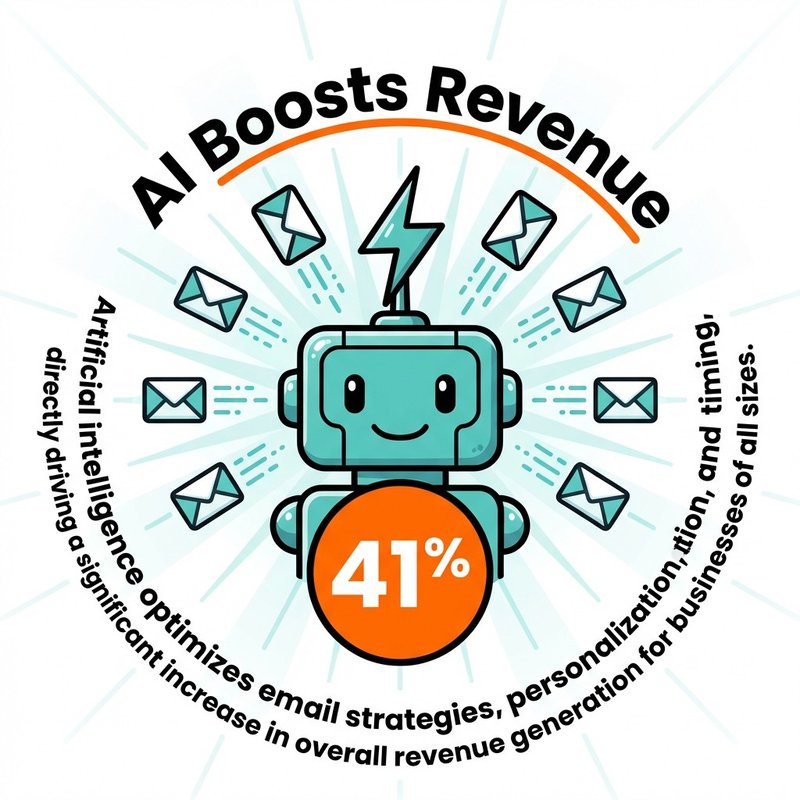
AI-driven email programs average 41% higher revenue.
Machine learning algorithms analyze past behavior to predict future actions. This enables more accurate personalization than rule-based segmentation alone.
Platforms like Braze and enterprise-level tools include AI optimization features. You provide content options and let algorithms determine best matches.
Predictive Send-Time Optimization
Rather than sending campaigns at fixed times, predictive systems analyze when each subscriber typically engages with email and send to individuals at their optimal moment.
Send-time optimization can produce 20 to 30% open rate improvements when implemented correctly. The personalization extends beyond content to delivery timing.
This requires platforms with machine learning capabilities that track individual engagement patterns over time.
Real-Time Inventory and Pricing Updates
For ecommerce, real-time dynamic content can display current inventory levels and pricing when subscribers open emails. This prevents frustration from clicking on sold-out products or outdated prices.
Implementation requires your email platform to query your ecommerce system when emails are opened. Not all platforms support this live data integration.
The payoff is higher conversion rates from abandoned cart and product recommendation emails that always show accurate information.
Cross-Channel Personalization Consistency
Advanced strategies extend dynamic content beyond email to create consistent personalization across channels. Your email recommendations match website personalization and retargeting ads.
This requires integrating your email platform with your broader marketing stack. Customer data platforms help unify subscriber information across all touchpoints.
The result is cohesive customer experiences where your brand feels consistent and personalized regardless of channel.
Getting Started with Your First Dynamic Email Campaign
You've learned what dynamic email content is, how it works, and why it matters. Now it's time to implement your first personalized campaign.
Start simple. Pick one email campaign you send regularly and identify one element to make dynamic. Maybe it's your weekly newsletter's featured product section or your welcome email's industry-specific content.
Create just two or three variations based on clear segments. Test against your current static version to measure impact. This small-scale proof of concept builds confidence and demonstrates value to stakeholders.
As you see results, expand gradually. Add more content variations, create additional segments, and apply dynamic content to more campaigns. Each iteration teaches you more about what resonates with your subscribers.
The most important step? Starting today. Choose your first dynamic element, set it up in your email platform, and send it to a test segment. Real-world experience beats endless planning every time.
Your subscribers are waiting for more relevant, personalized email experiences. Dynamic content is how you deliver them at scale. Check out our guide on advanced email personalization strategies for more ways to improve your email marketing results.

No comments:
Post a Comment